

Fordeer Hello to you! 😁
The following article will show the difference between a label and a badge. From there, you can choose the one that is suitable for your store's purpose.
The biggest difference between these two features is in the display position.
1. Label
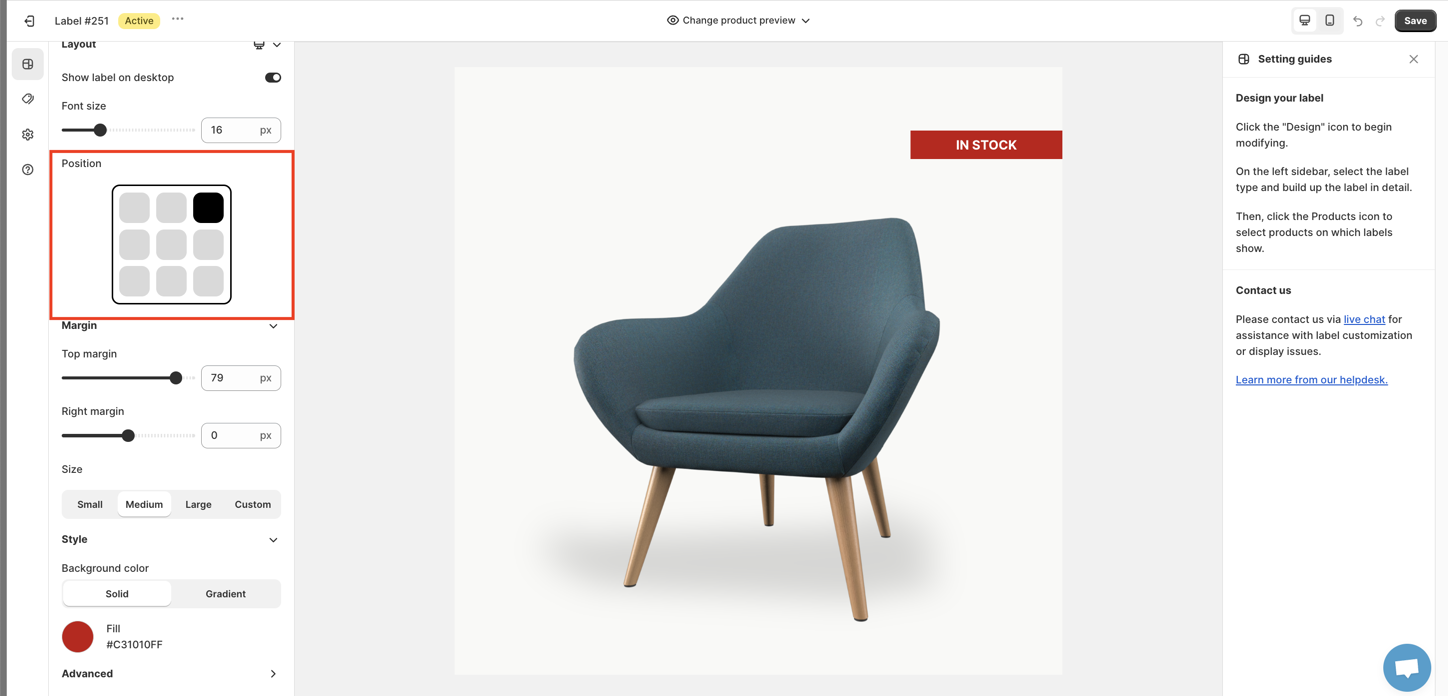
Labels appear in locations on the product image. You can customize it by selecting an option from the Position section.
2. Badge
Badges can appear outside the product image, in 5 positions: Below the product image, Below/above the product title, Below the product price, Above add to cart button
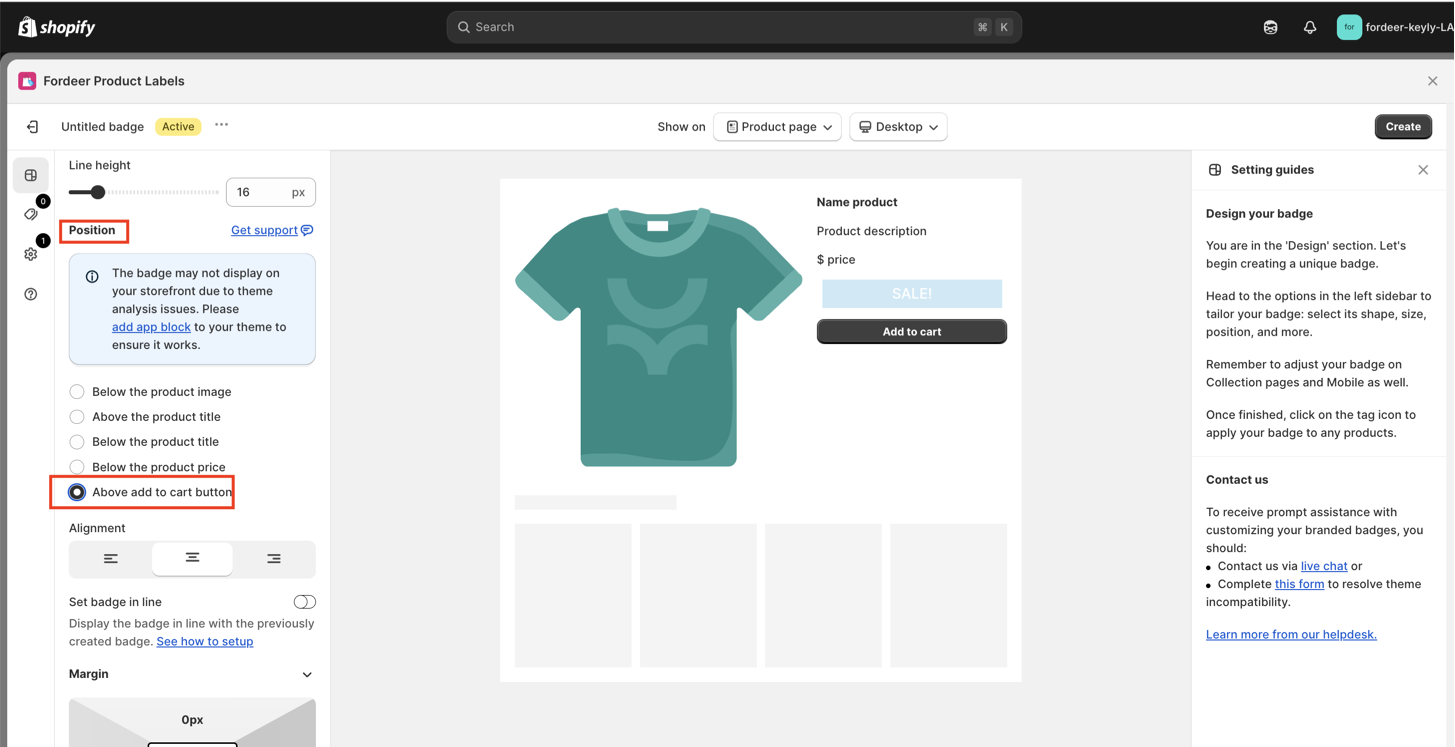
You can also set up general position for your badge.
The provided instructions have already explained the difference between a label and a badge. This distinction in position helps you understand which feature is suitable for your store. You can take a look our store demo here 👉 https://fordeer-labels-and-badges.myshopify.com/ with store password: 1
You can also create a label and create a badge, then use both of them simultaneously to enhance the customer experience.
If you encounter any issues or have questions during the setup process, feel free to reach out to us via our app's live chat or email us at support@fordeercommerce.io.
We value your feedback — it helps us continuously improve ForDeer and provide you with a better experience.
🖥️ Demo store: Check out here with password: 1
👉 Chat with us: Share your feedback directly with our team.
👉 Email us: support@fordeercommerce.io
👉 Explore more apps: Discover more Fordeer apps.
👉 Join our community: Join ForDeer Community to get the latest updates, tips, and special deals.
🕐 Working hours: 8:30 AM – 5:00 PM (UTC+7), Monday–Friday.
We typically reply to live chats within minutes and emails within a few hours.
Need help? Feel free to reach out anytime via live chat or email!