

Hello from Fordeer!
Product metafields in Shopify allow merchants to add special categories to their product pages, displaying additional information not included by default in the Shopify admin.
After a month of hard work and development, we're excited to introduce a new feature to Product Labels: the ability to show product metafields on the label.
In this article, we'll guide you through setting up labels to display product metafields as you want.
Product metafields can only be used for text labels and do not apply to All products selection.
This feature is available for Advanced users.
Steps to Display Product Metafield on a Label
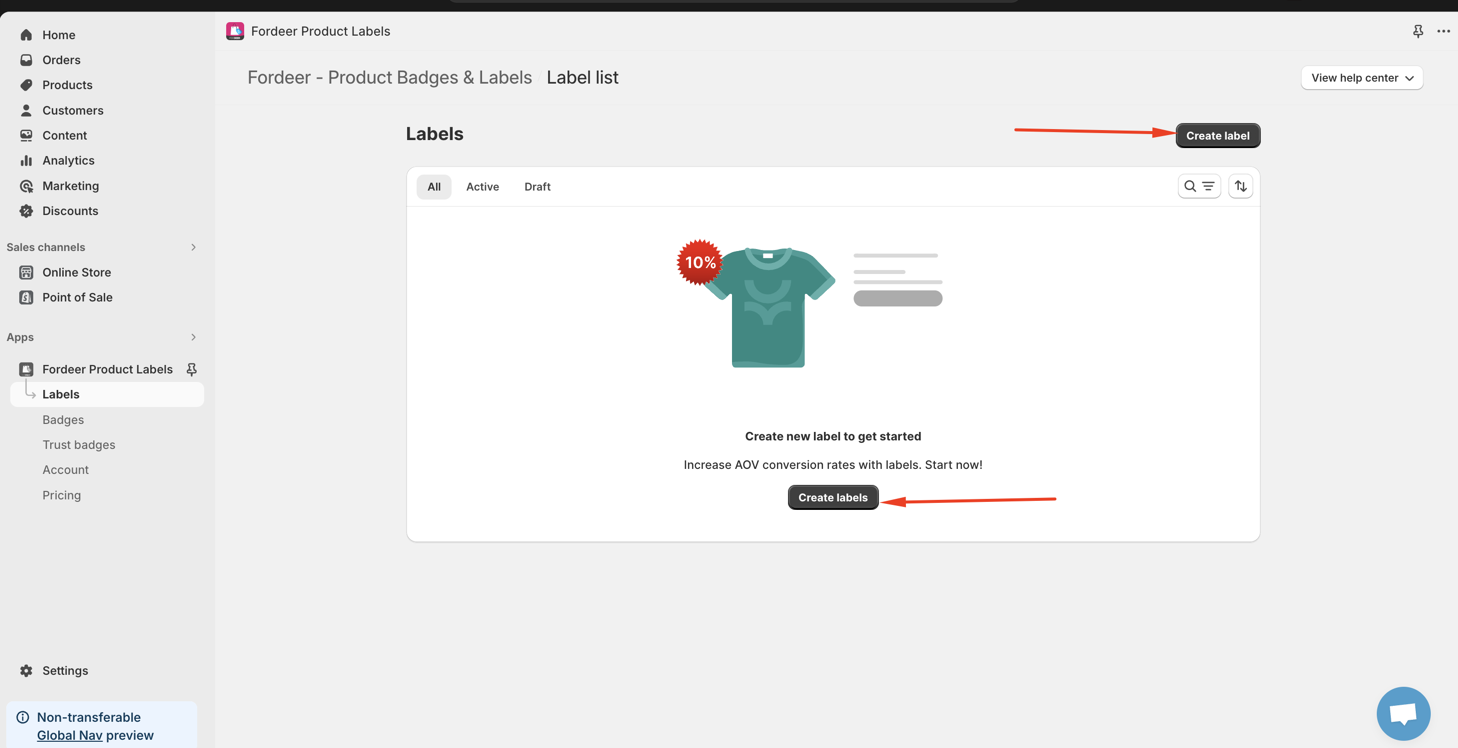
Step 1. Click Create label
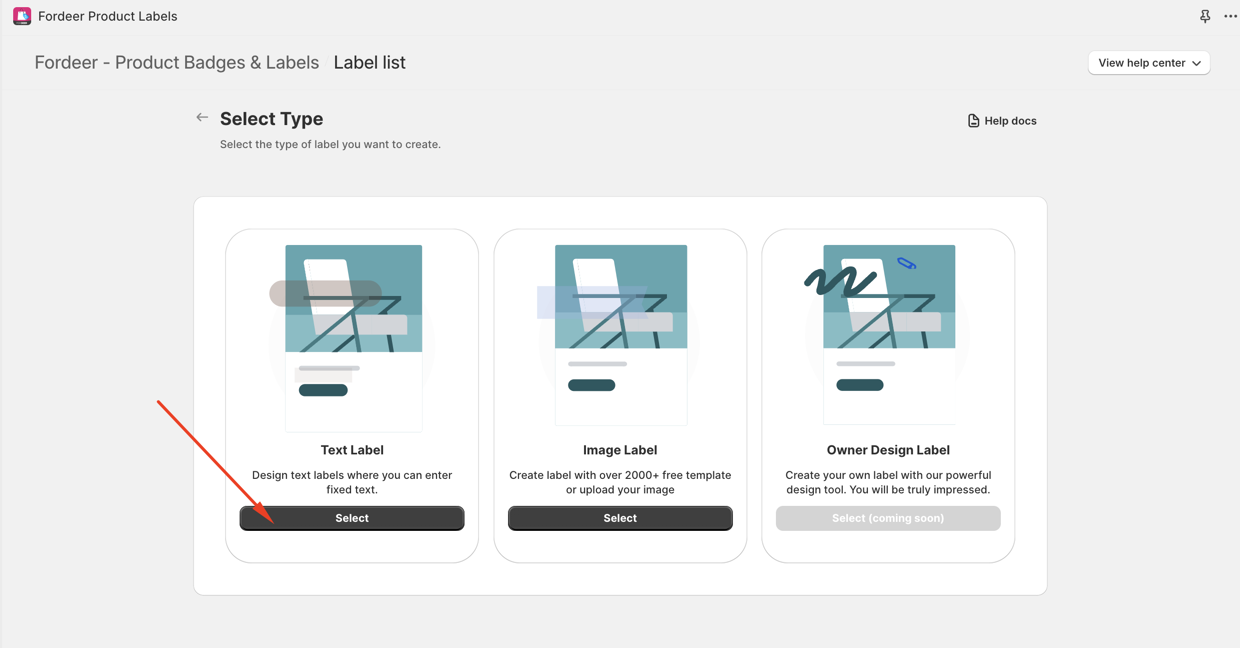
Step 2. Select Label Type > Text Label
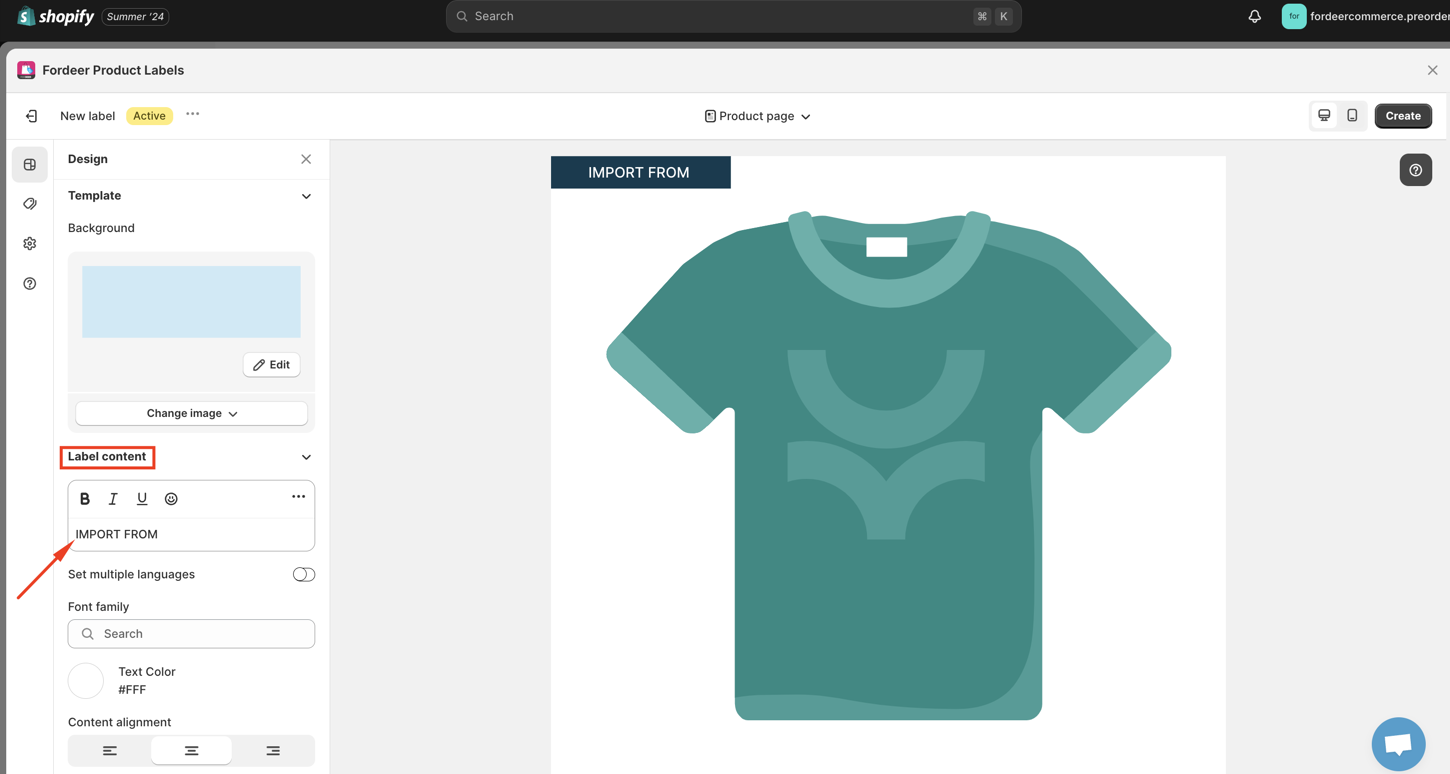
Step 3. Enter the content you want to show on the label in Label content section or use our default content
Step 4. Click three dots on the Label content section and click Add metafields
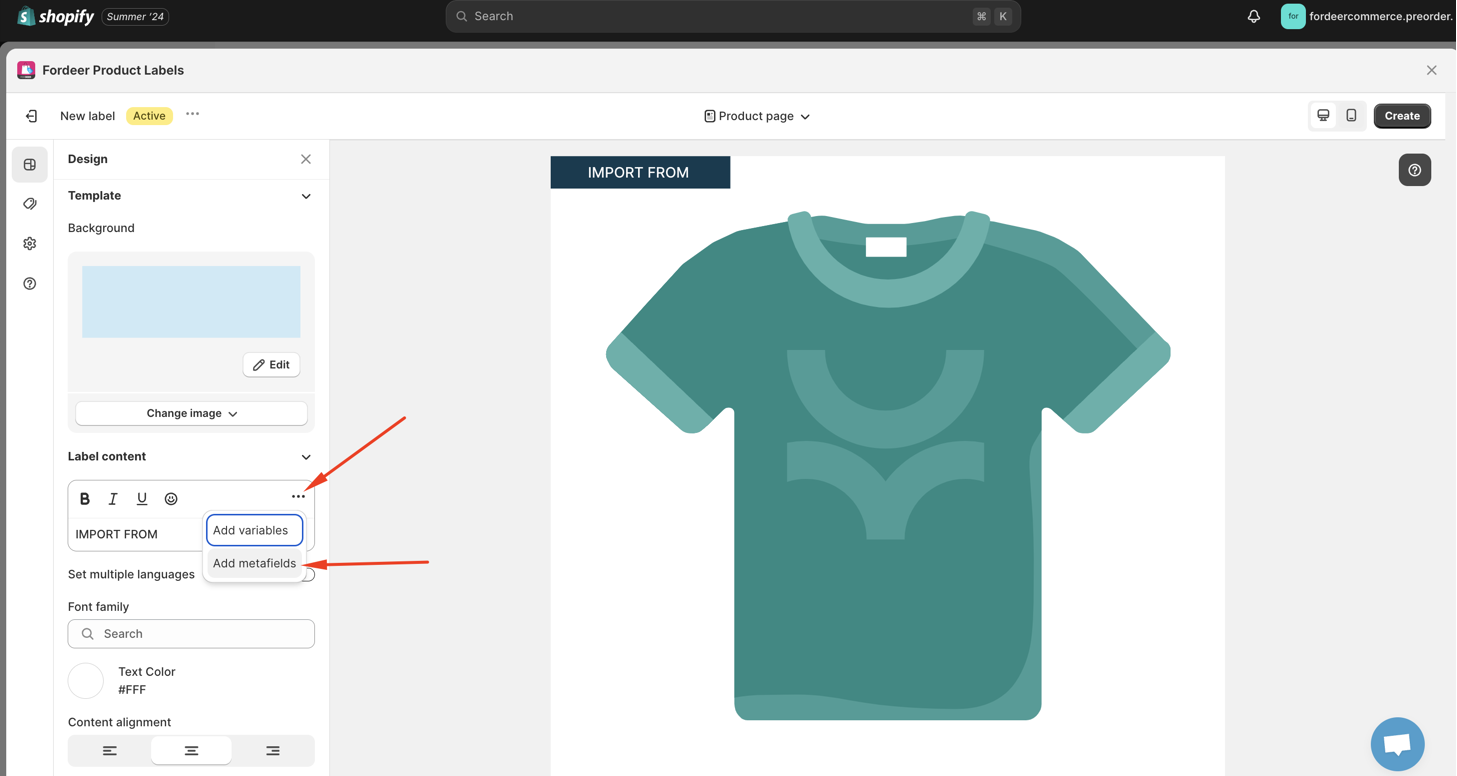
Here you will the see the guidelines on how to add metafields to the label content.
Step 5: Find and copy the namespace and key of the metafield you want to show on label content
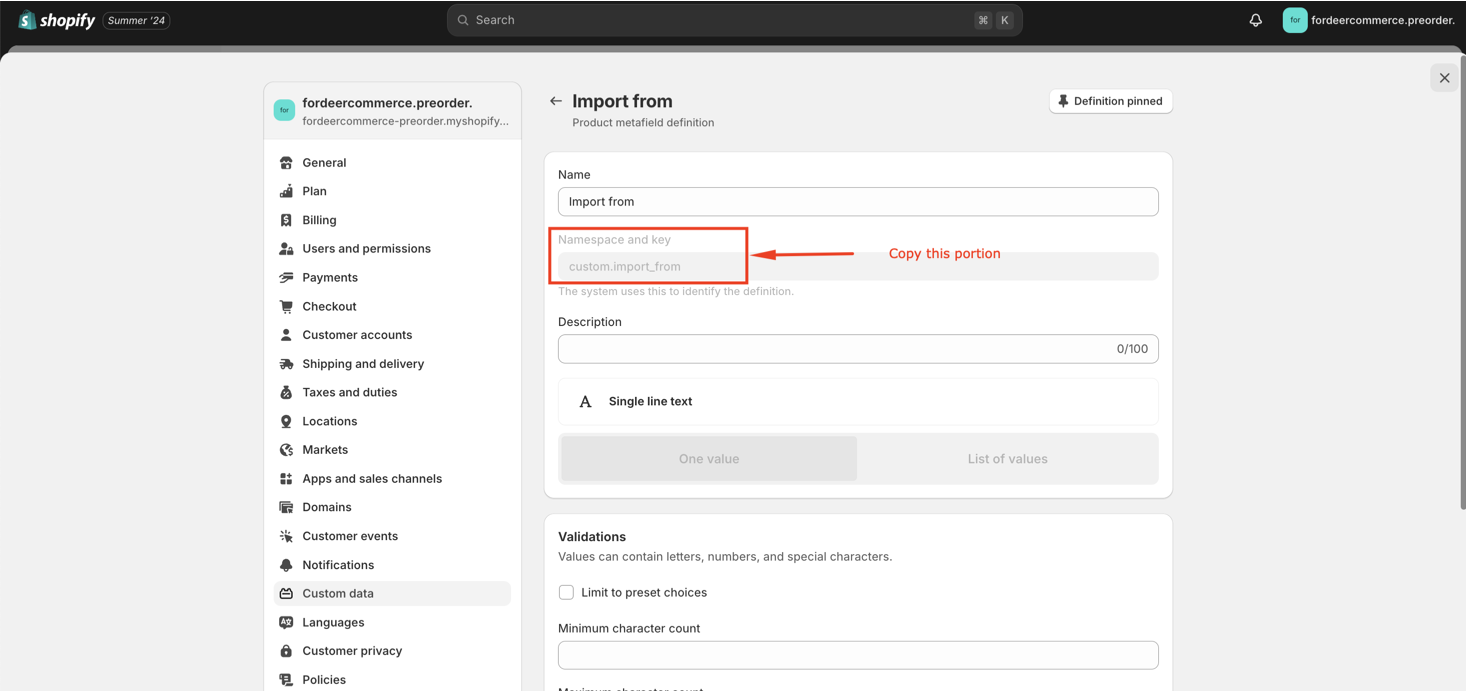
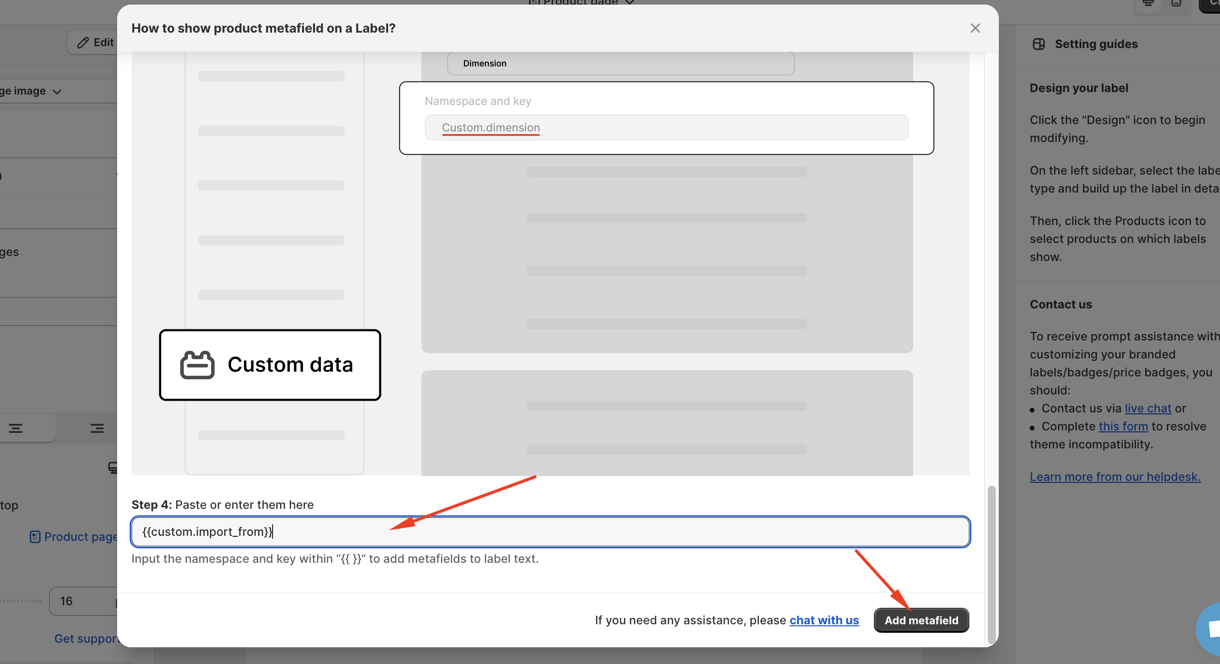
Step 6. Click Save button at the end
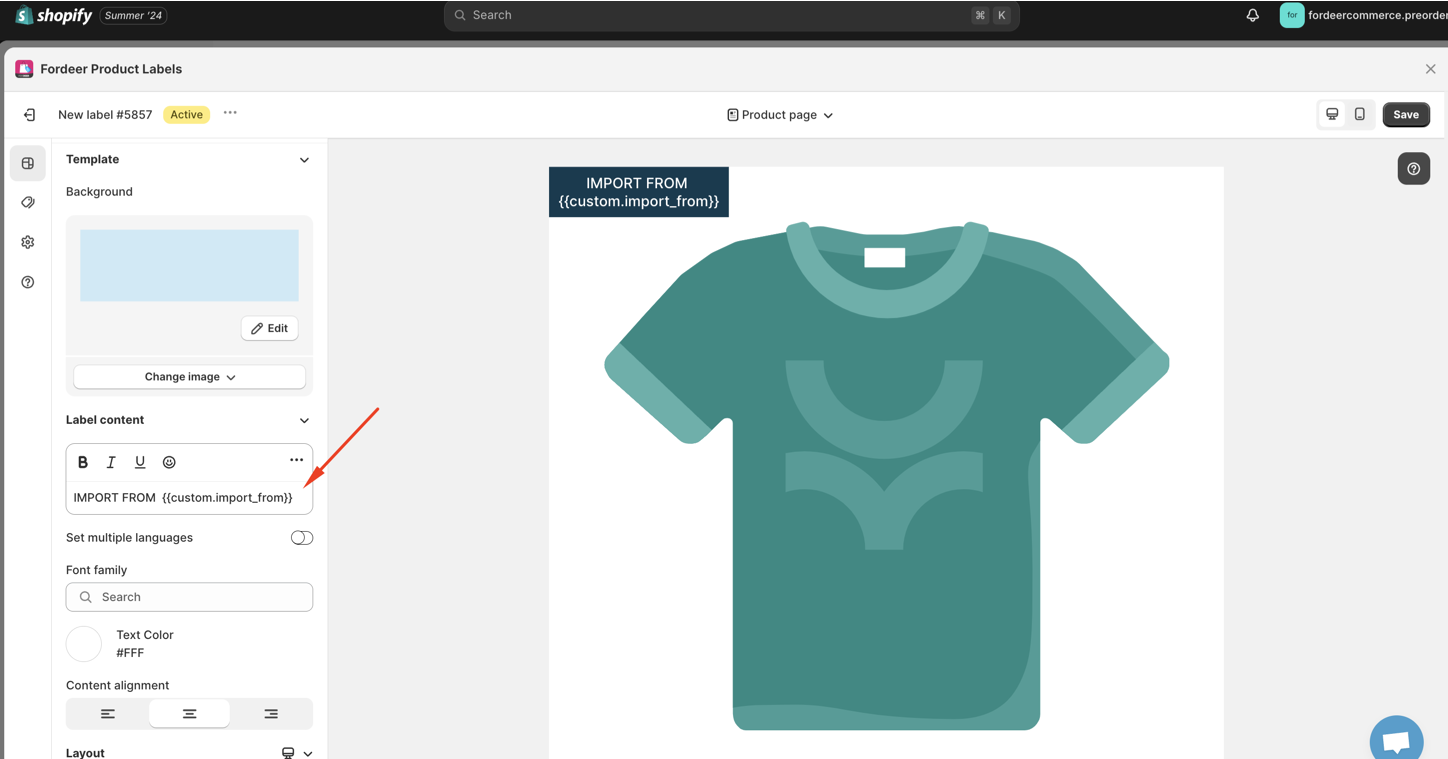
After that, please check your storefront to ensure the label displays correctly.
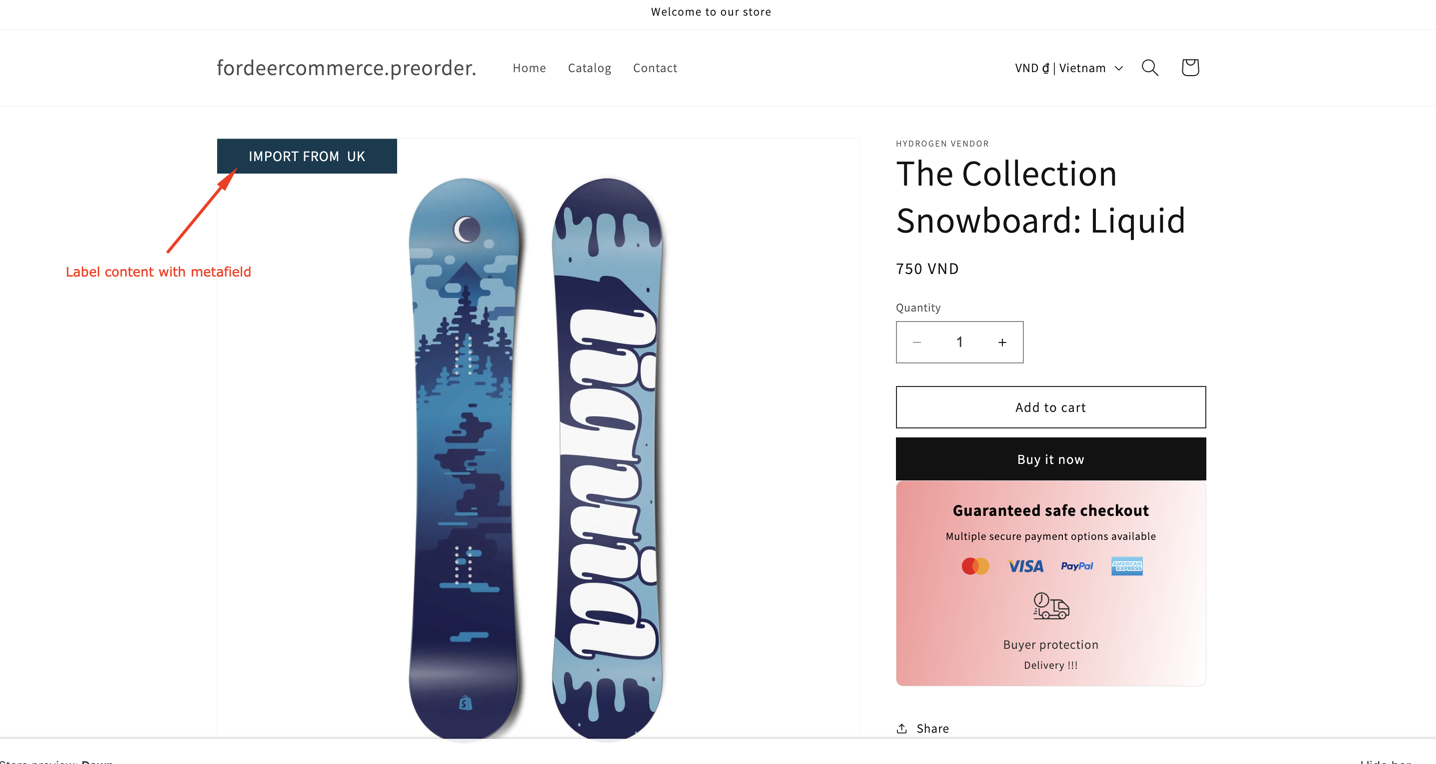
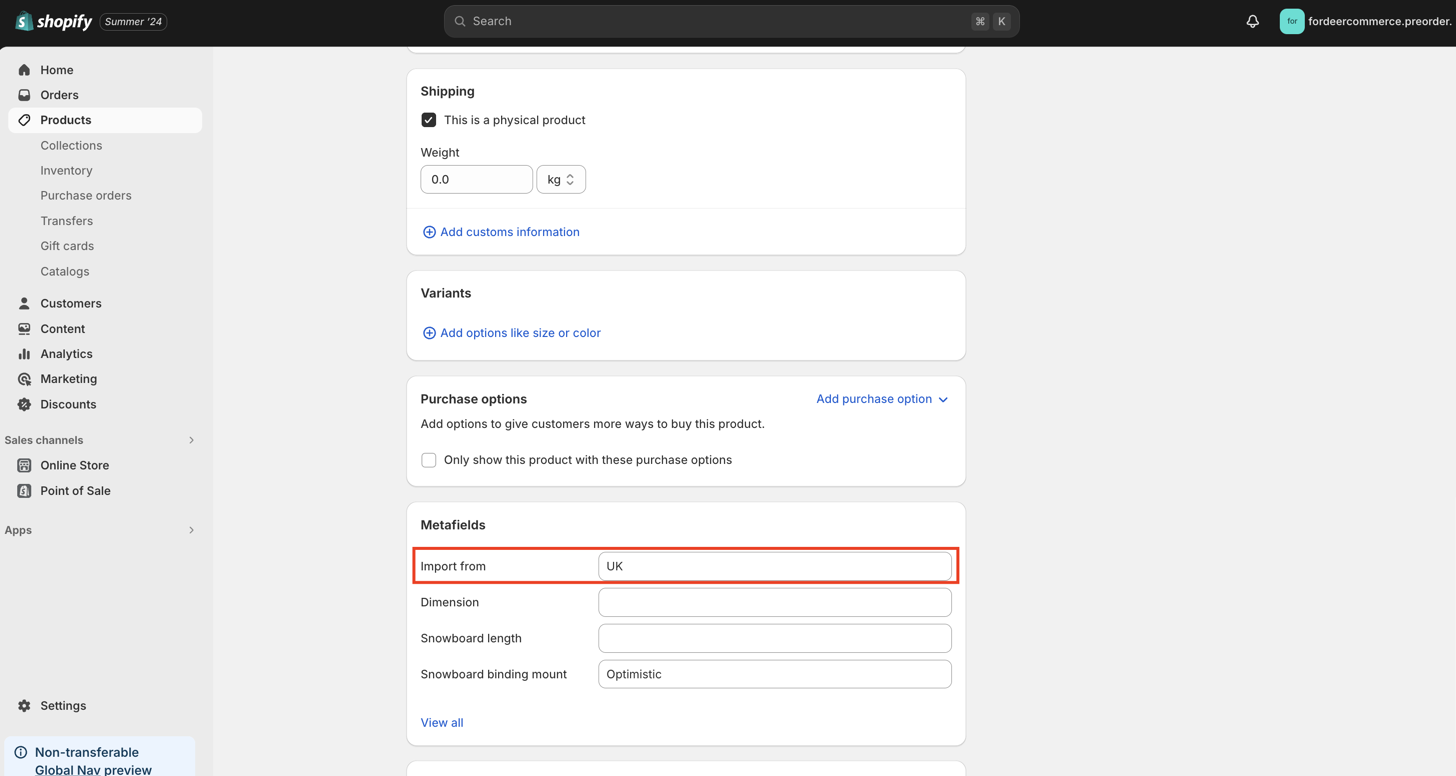
Our app will only show the value of the metafield on the label.
We value your feedback — it helps us continuously improve ForDeer and provide you with a better experience.
🖥️ Demo store: Check out here with password: 1
👉 Chat with us: Share your feedback directly with our team.
👉 Email us: support@fordeercommerce.io
👉 Explore more apps: Discover more ForDeer apps.
👉 Join our community: Join ForDeer Community to get the latest updates, tips, and special deals.
🕐 Working hours: 8:30 AM – 5:00 PM (UTC+7), Monday–Friday.
We typically reply to live chats within minutes and emails within a few hours.
Need help? Feel free to reach out anytime via live chat or email!
Talk soon!