

Hello from Fordeer!
You can ensure trust badge show on your product pages by adding a trust badge block. Here’s how to do it:
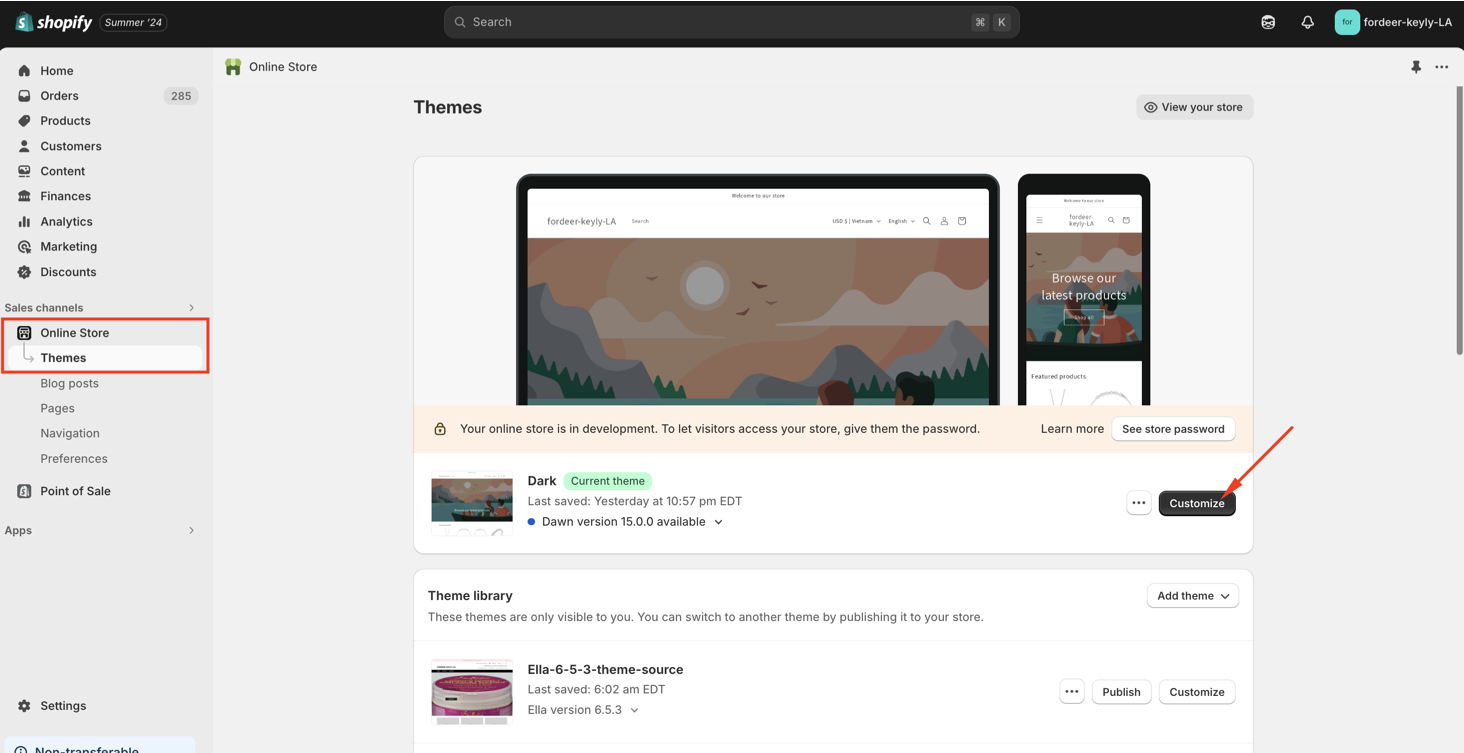
Step 1: Go to Online Store > Themes > Click Customize.
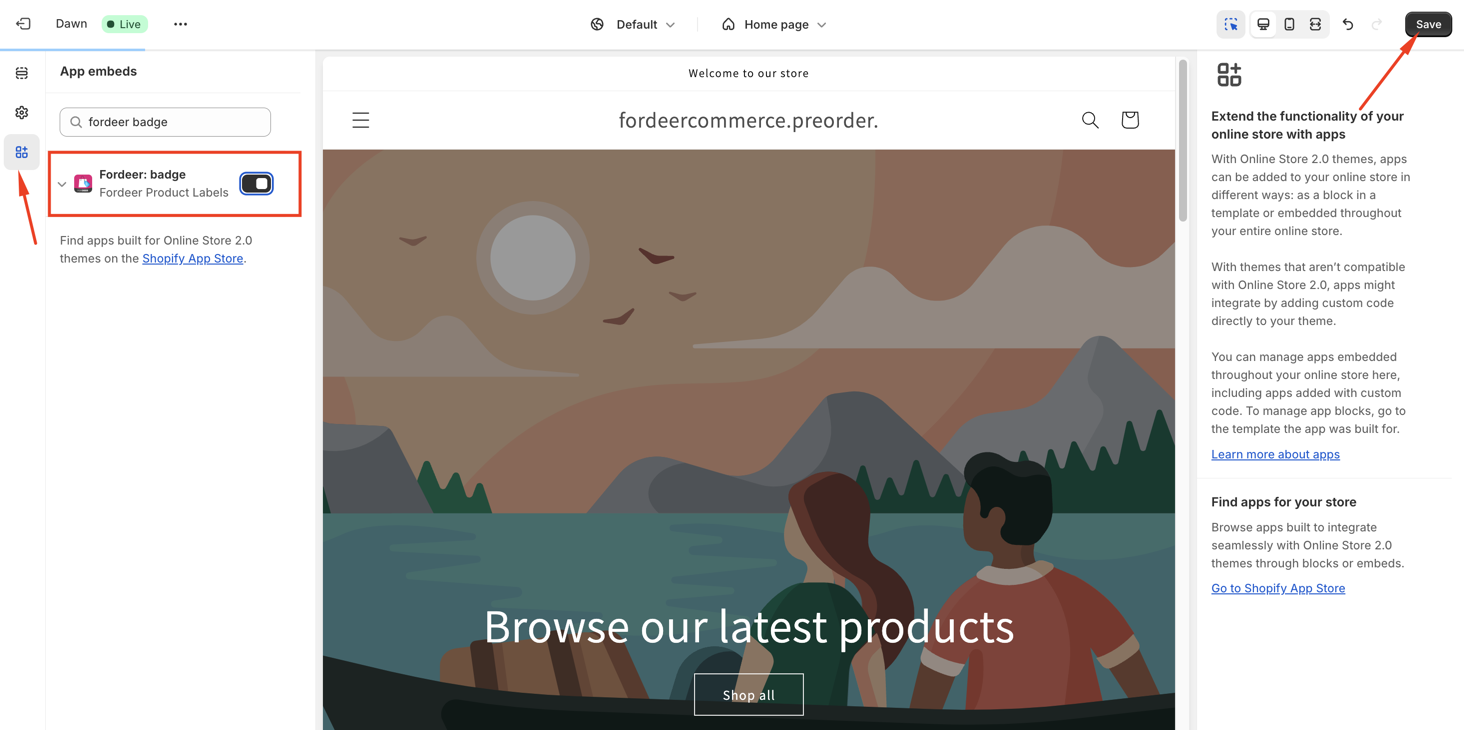
Step 2: Go to the App Embeds section and activate our app embeds ( Fordeer: badge ).
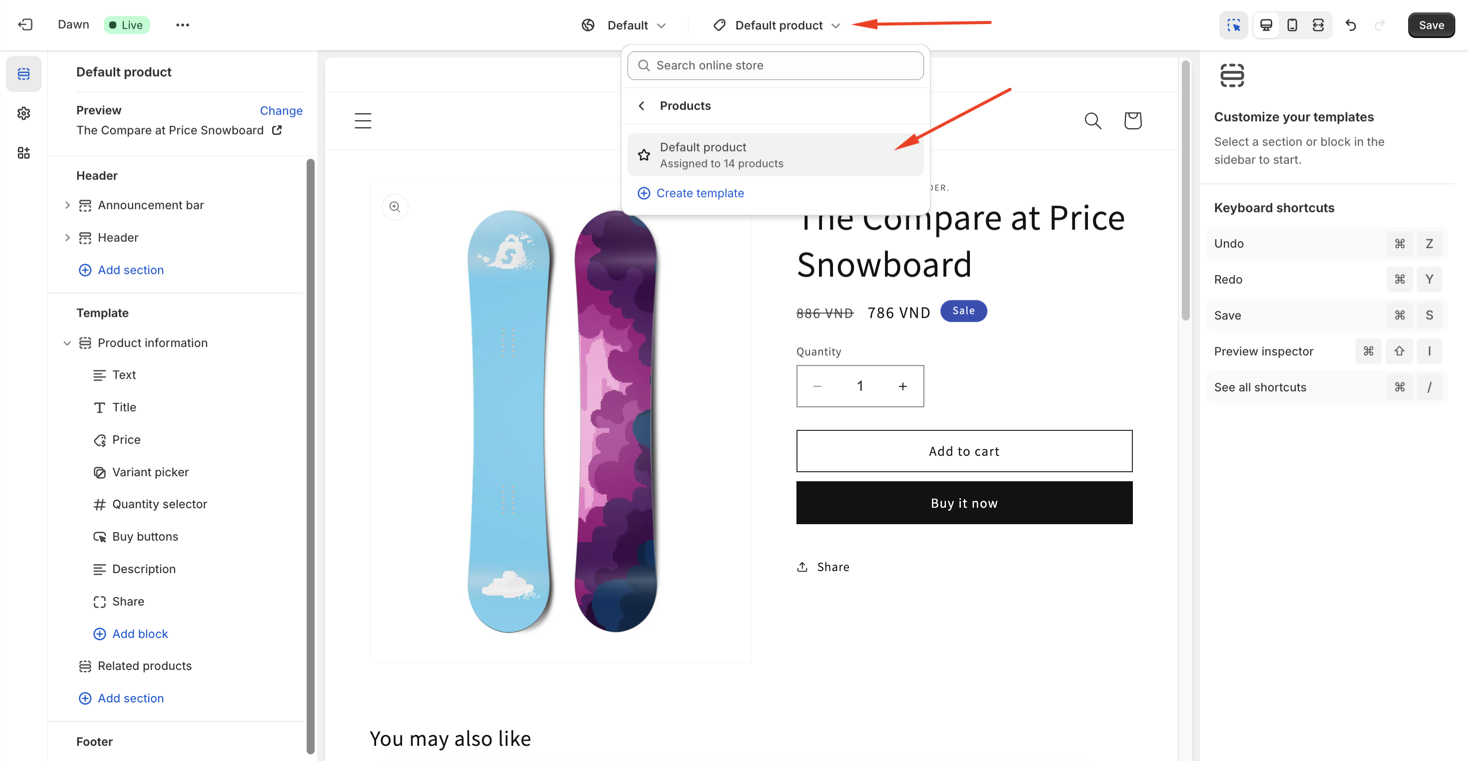
Step 3: In the Theme Editor, go to the Product Page section.
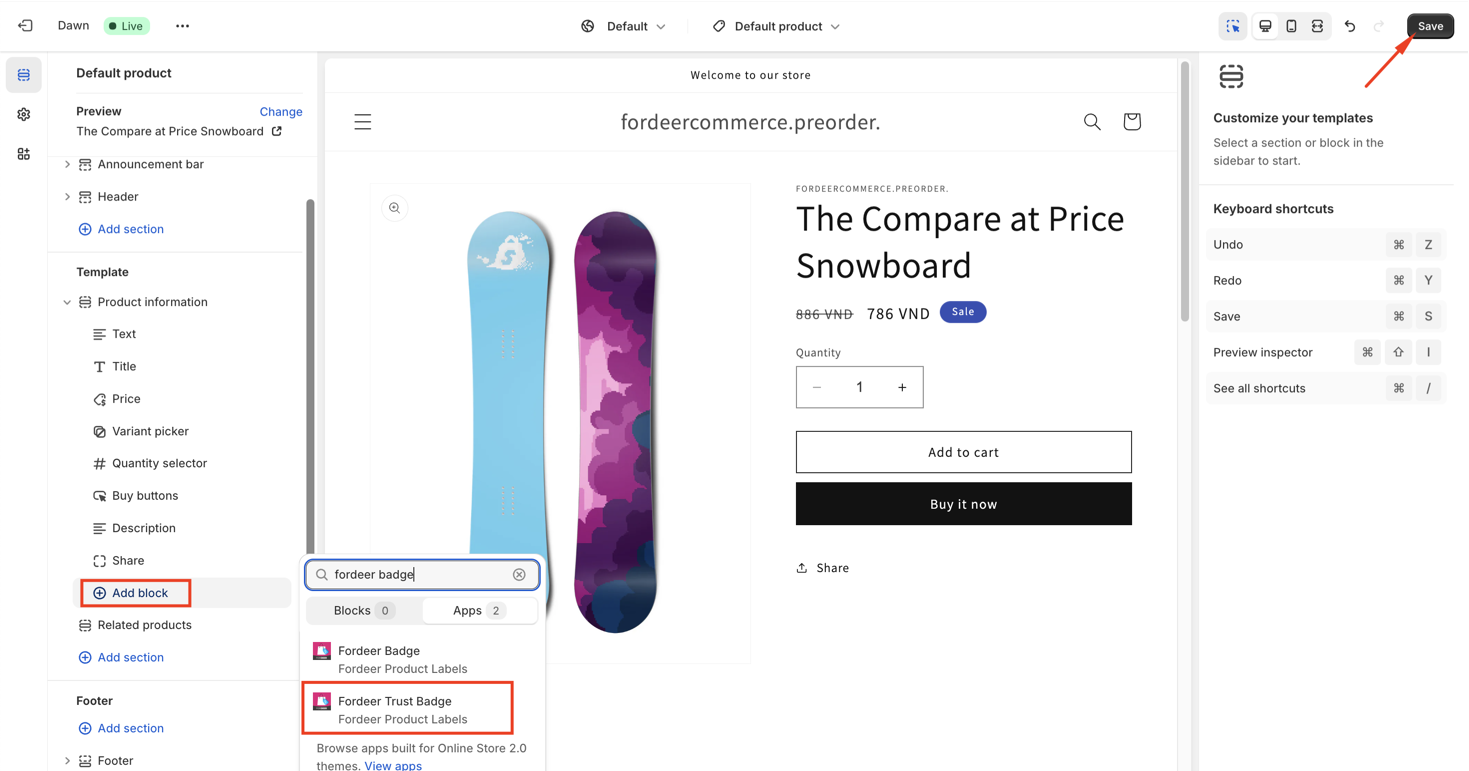
Step 4: Click Add section/ Add block and select Fordeer Trust Badge .
Step 5: Enter the trust badge ID.
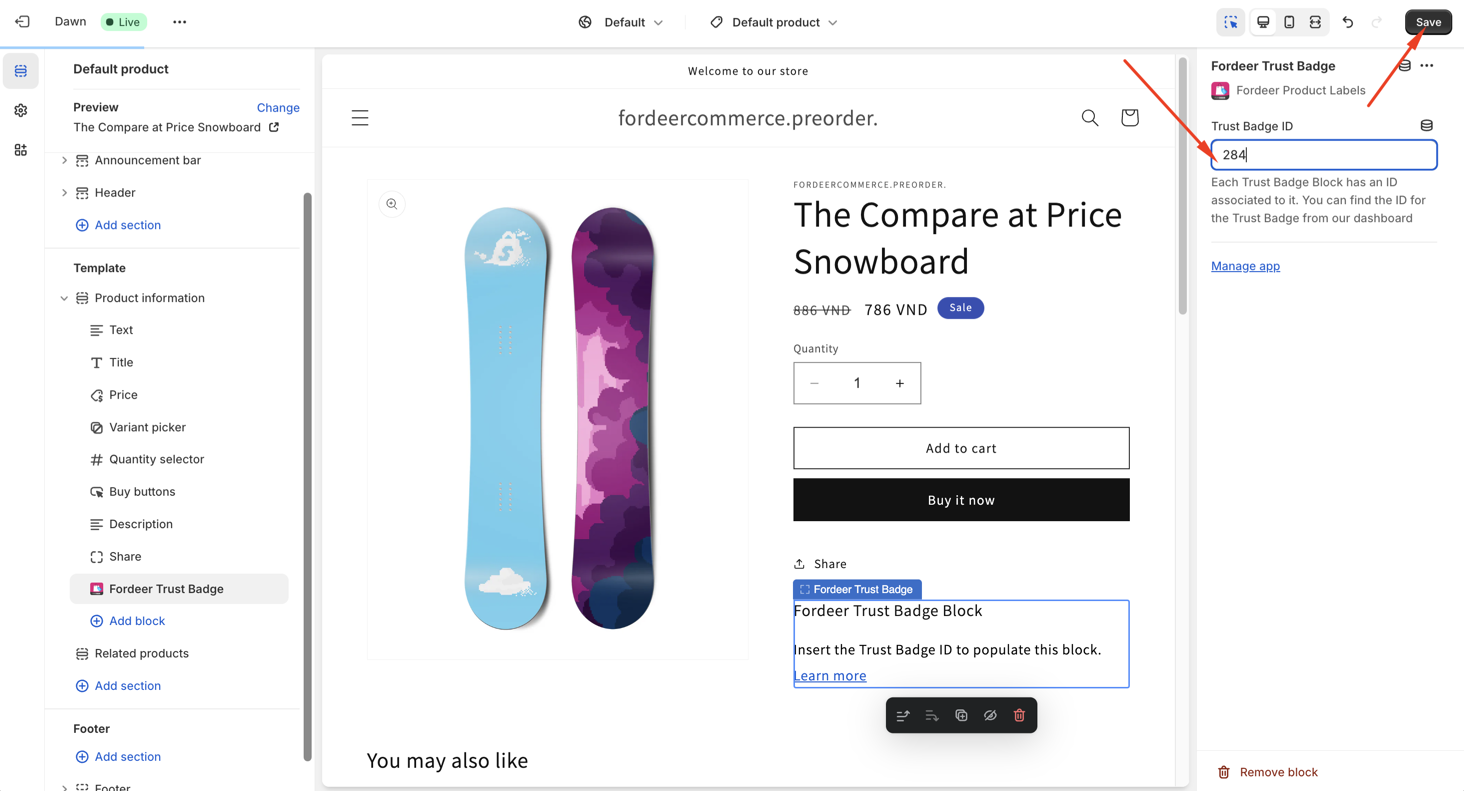
You can customize the position of the trust badge on the product page.
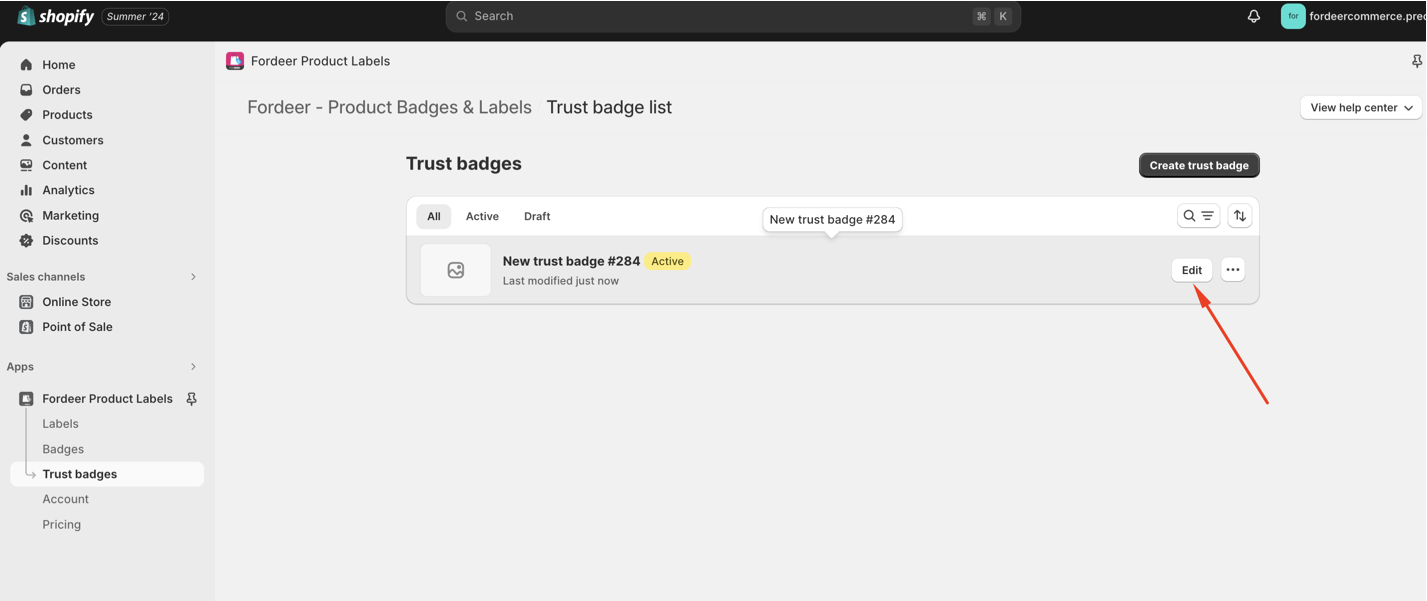
How to get the trust badge ID:
- Click on the trust badge campaign settings.
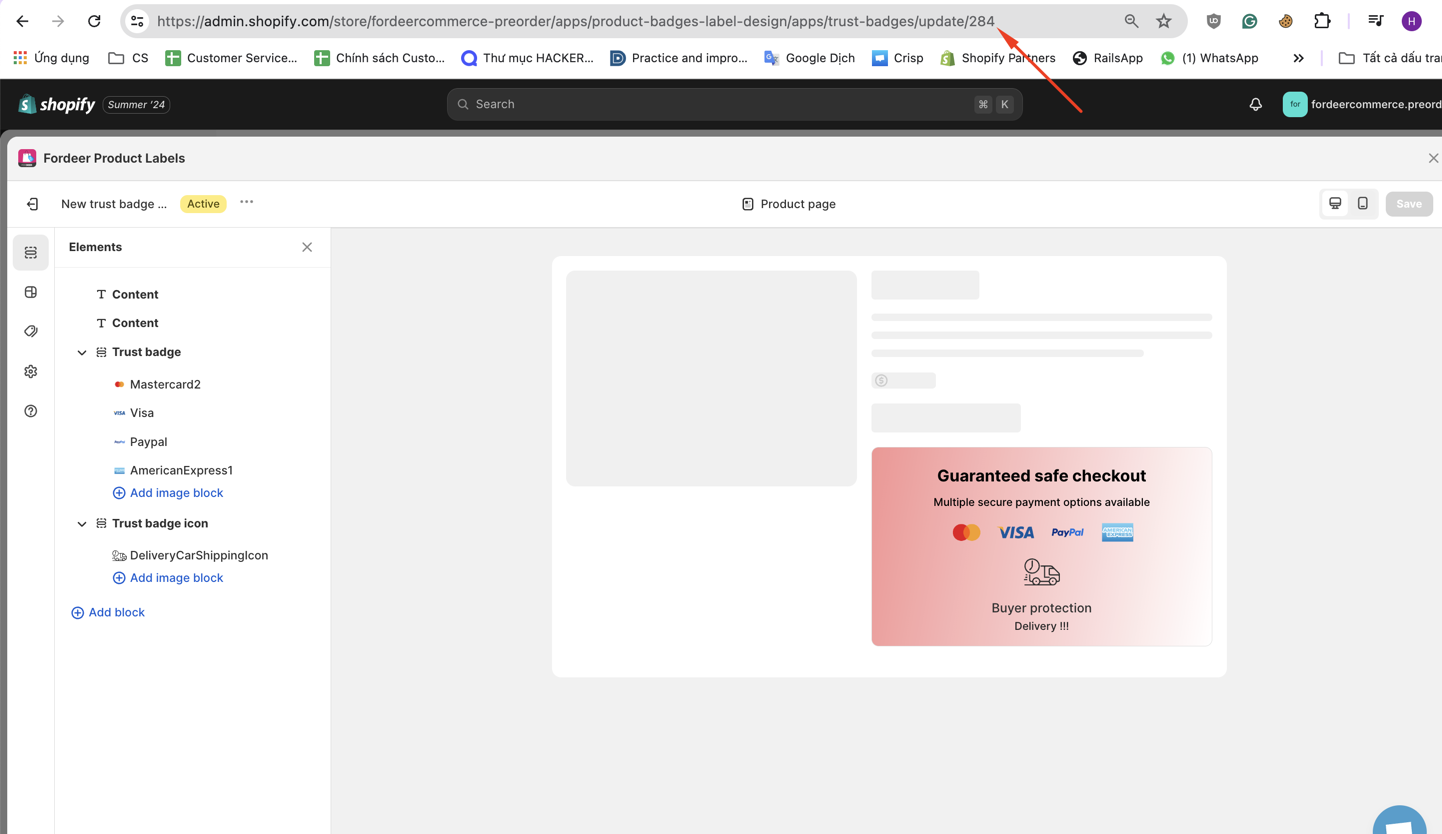
- The badge ID will be visible in the URL link.
Currently, you can only add the trust badge block to product pages in the Theme Editor.
After adding the trust badge block to the theme editor, please visit your storefront to check out the trust badge display.
We value your feedback — it helps us continuously improve ForDeer and provide you with a better experience.
🖥️ Demo store: Check out here with password: 1
👉 Chat with us: Share your feedback directly with our team.
👉 Email us: support@fordeercommerce.io
👉 Explore more apps: Discover more ForDeer apps.
👉 Join our community: Join ForDeer Community to get the latest updates, tips, and special deals.
🕐 Working hours: 8:30 AM – 5:00 PM (UTC+7), Monday–Friday.
We typically reply to live chats within minutes and emails within a few hours.
Need help? Feel free to reach out anytime via live chat or email!