

Hello Fordeer users
Language shouldn't be a barrier to understanding
We understand that language barriers can be frustrating, and we're committed to providing you with the support you need to use Product Badges & Label successfully. Let's us help you to bring your brand to the world without any barrier.
-
Go to the Setting page of the label/badge
-
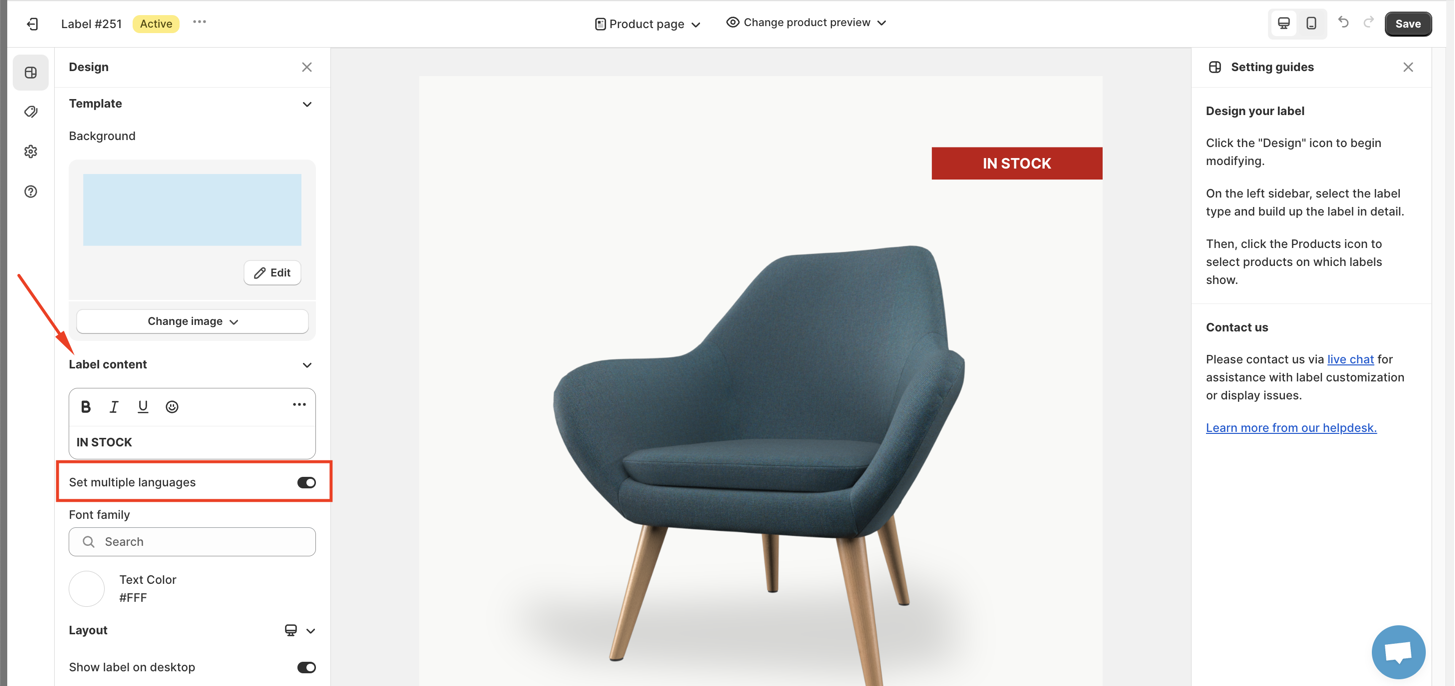
At the Design page, look down for Set multiple language option in Label/badge content and kindly toggle the button
-
After that, click on Select language and choose the languge that you want to translate your label to
-
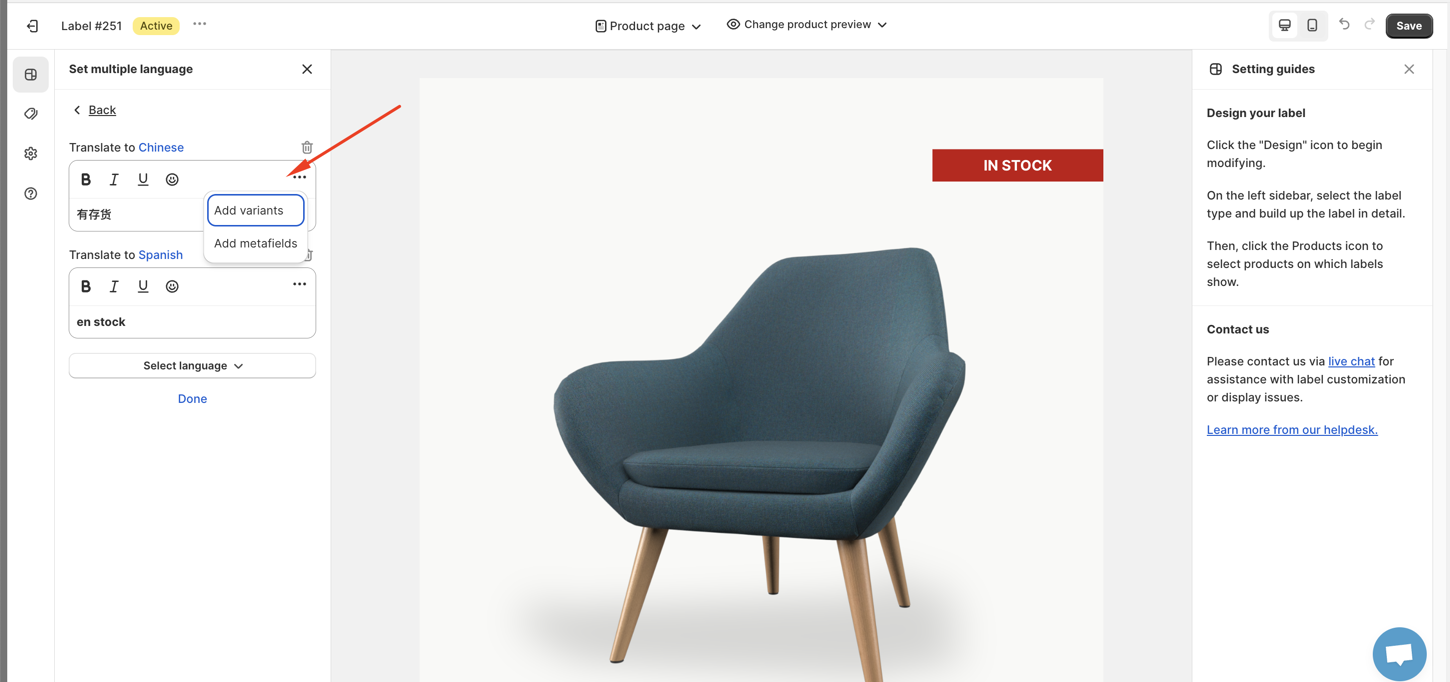
Type the translation on the box
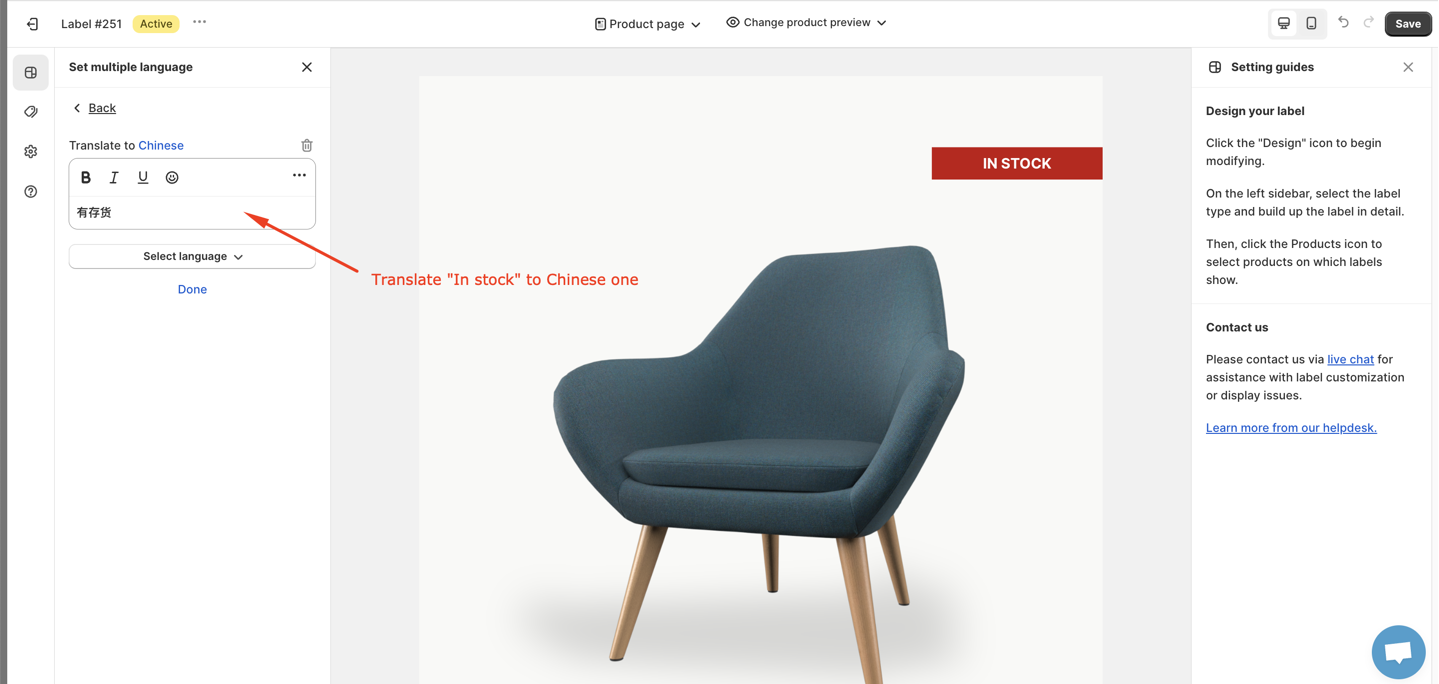
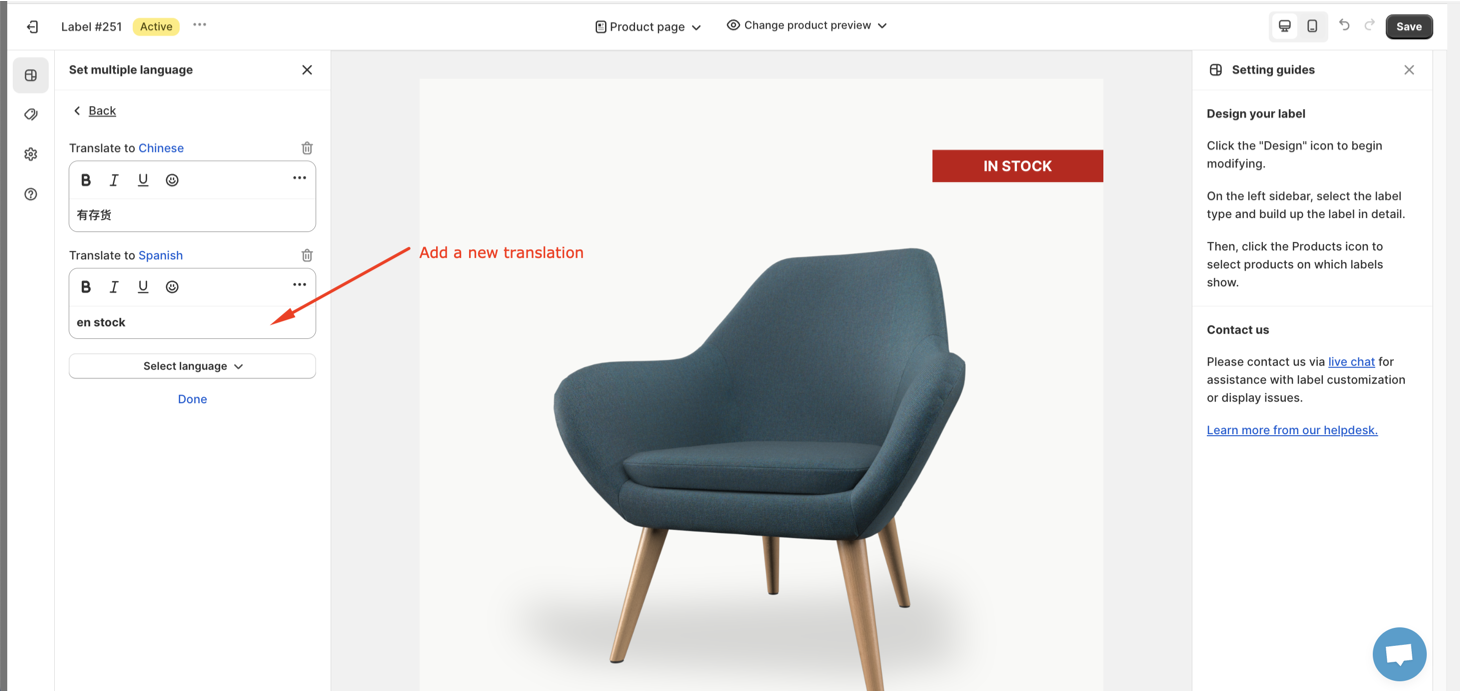
- Remember to click Done to go back the settings screen and Save button to save your change.
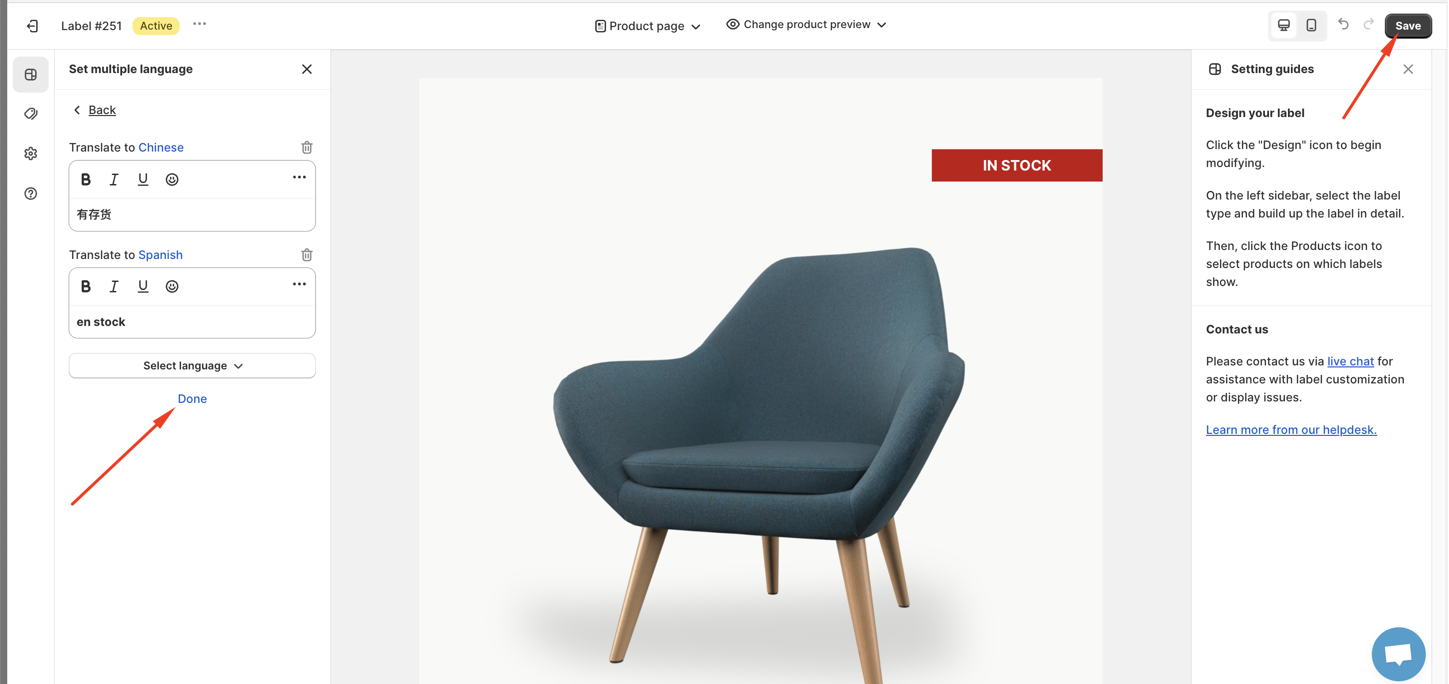
You can also put text in bold, italic or underline and if you click 3 dots on the side, you can add variants or add metafields
After save, please go to your store and check it as changing your store languge to the language of the label
I hope that this article help you to translate your label/badge. Additionally, if you want to display product metafields on the label text as mentioned below, please refer to this article.
Last but not least, the more meticulously you set up the label, the more attractive it will appear to your customers. We encourage you to read our documentation for detailed instructions on how to properly display the label on your store.
We value your feedback — it helps us continuously improve ForDeer and provide you with a better experience.
🖥️ Demo store: Check out here with password: 1
👉 Chat with us: Share your feedback directly with our team.
👉 Email us: support@fordeercommerce.io
👉 Explore more apps: Discover more ForDeer apps.
👉 Join our community: Join ForDeer Community to get the latest updates, tips, and special deals.
🕐 Working hours: 8:30 AM – 5:00 PM (UTC+7), Monday–Friday.
We typically reply to live chats within minutes and emails within a few hours.
Need help? Feel free to reach out anytime via live chat or email!