

Hello from Fordeer!
Currently, our app uses an automated algorithm to analyze common components in your theme and automatically display badges in the positions you have set.
However, there may be cases where the algorithm cannot properly analyze your theme. In such instances, we highly recommend using Snippet Code as an alternative.
Here’s how you can add the Snippet Code to your theme code by following these steps:
-
Create a Badge Campaign:
-
Ensure you have already created or have a badge campaign. If not, please click the Create button to create a badge campaign successfully.
-
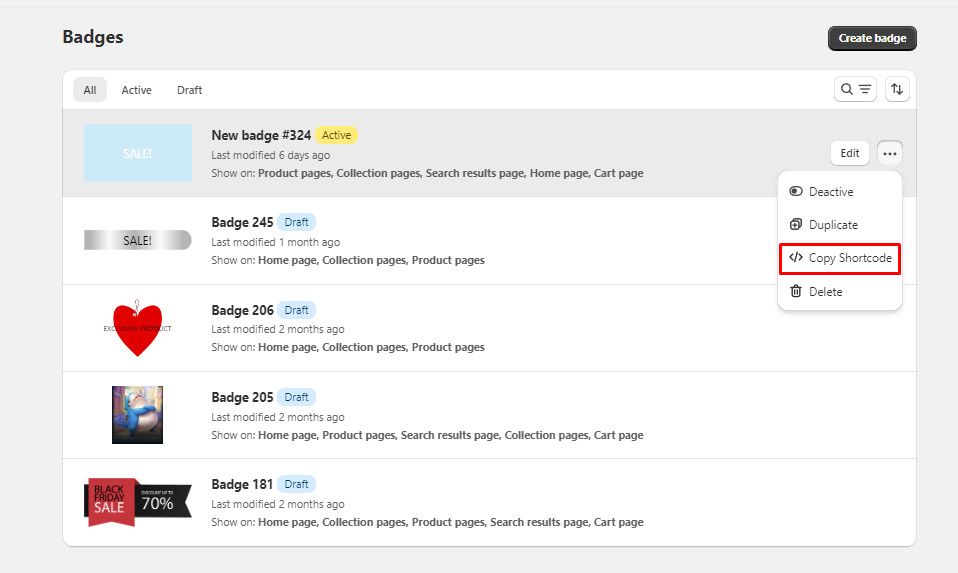
Copy the Shortcode:
-
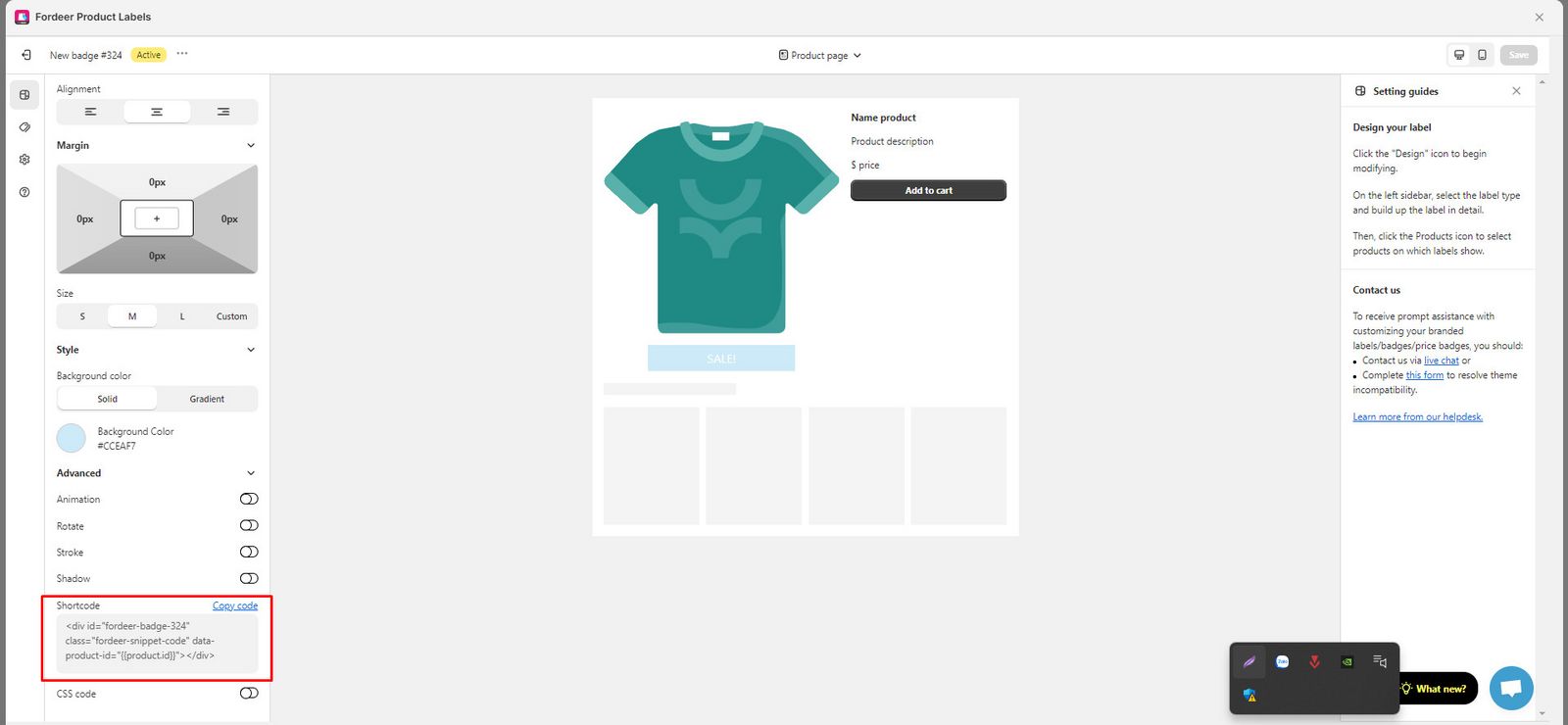
In the Design section, scroll down and click on the Advanced arrow action to reveal the shortcode. Click Copy code
- Identify the Product Image Wrapper:
-
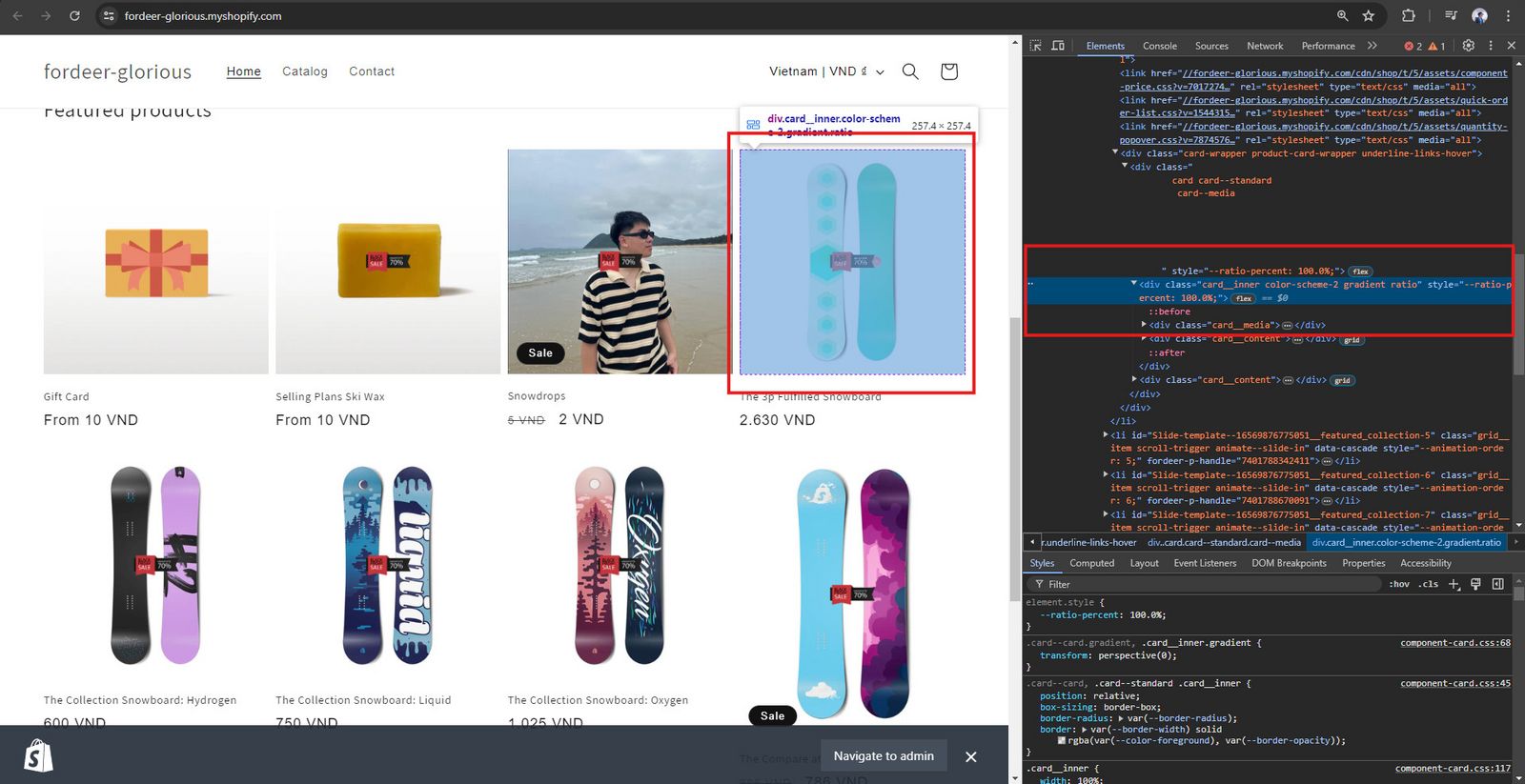
Go to your storefront and open the Console section.
-
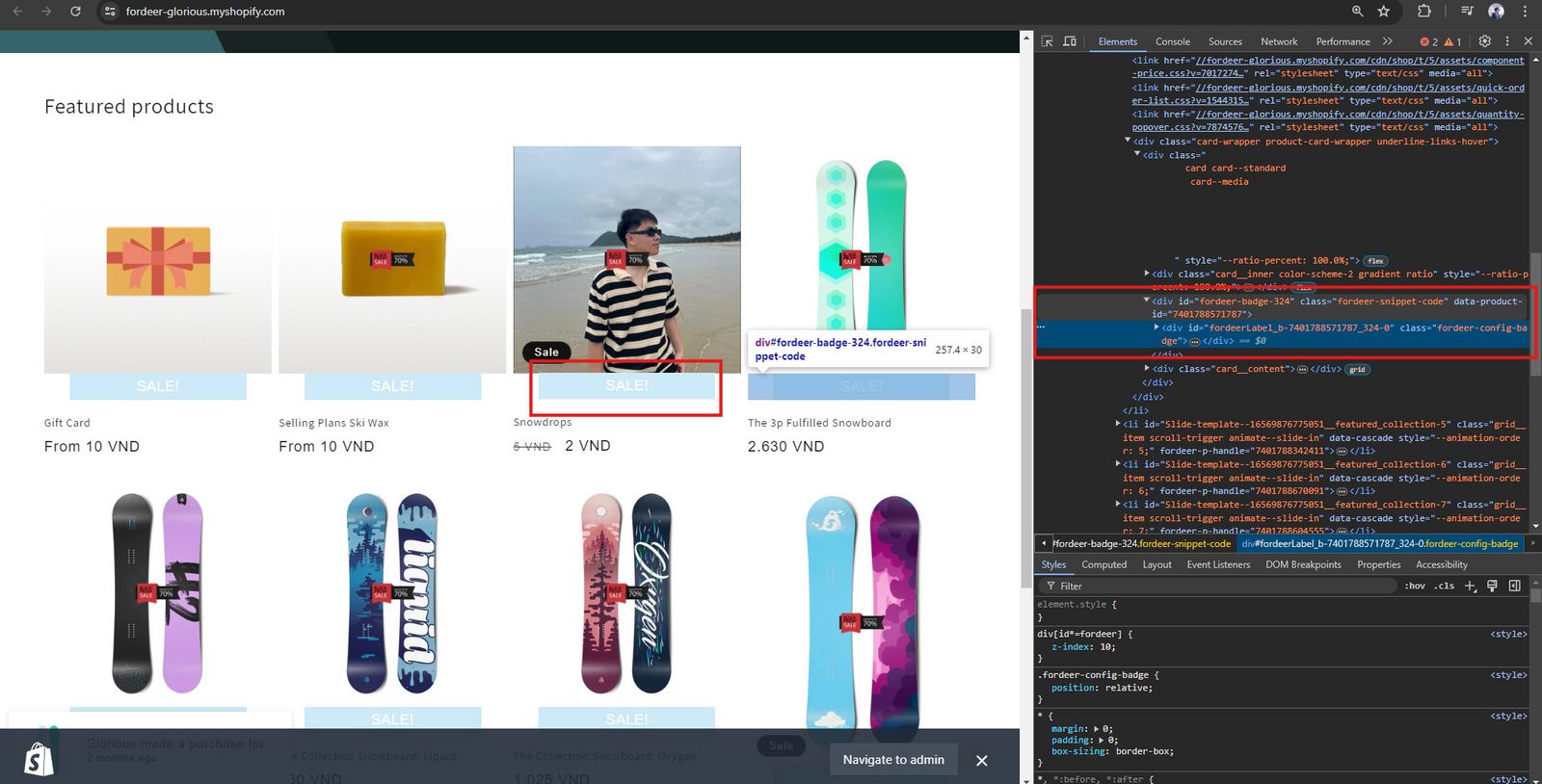
Navigate to the pages where you want to show the badge, and identify the outer wrapper of the product image. (Ensure it has
position: relativeand notposition: absolute.)
-
Edit Your Theme Code:
-
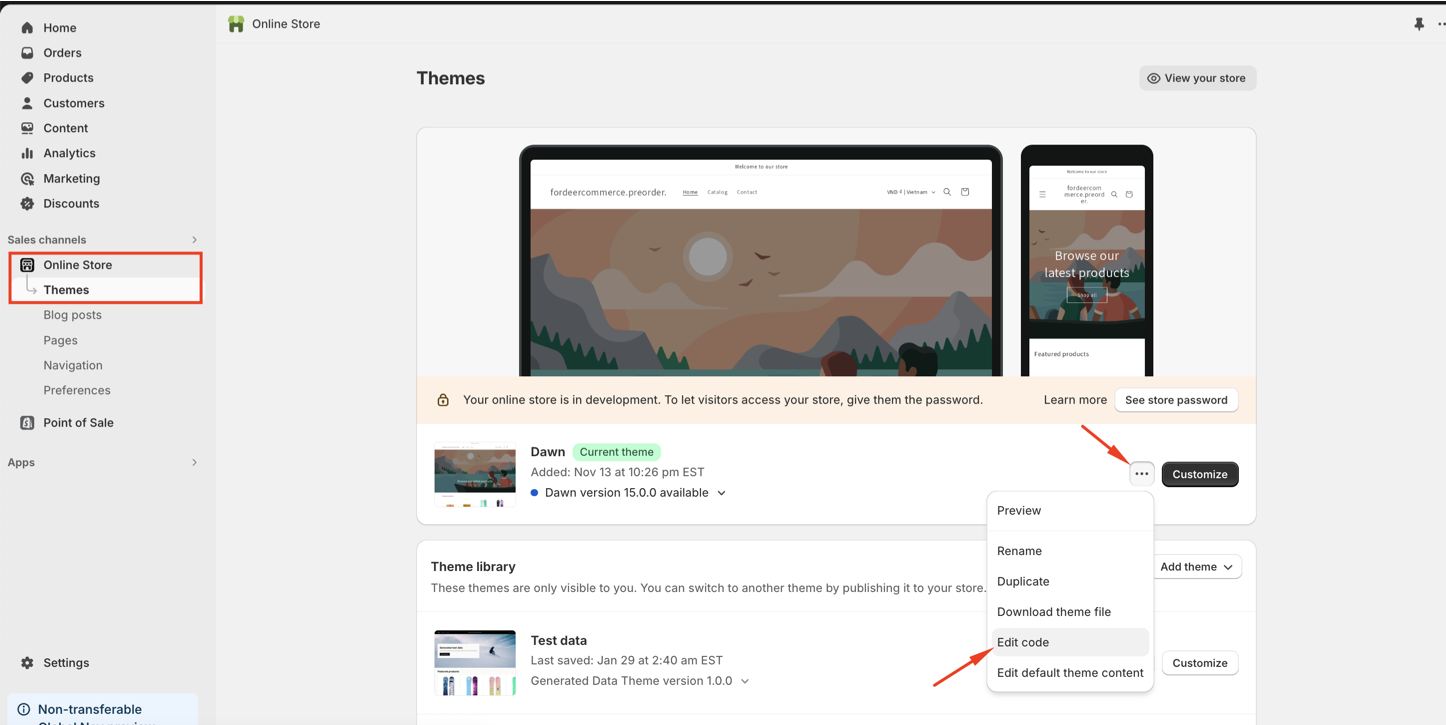
Go to Online Store > Themes > Edit code.
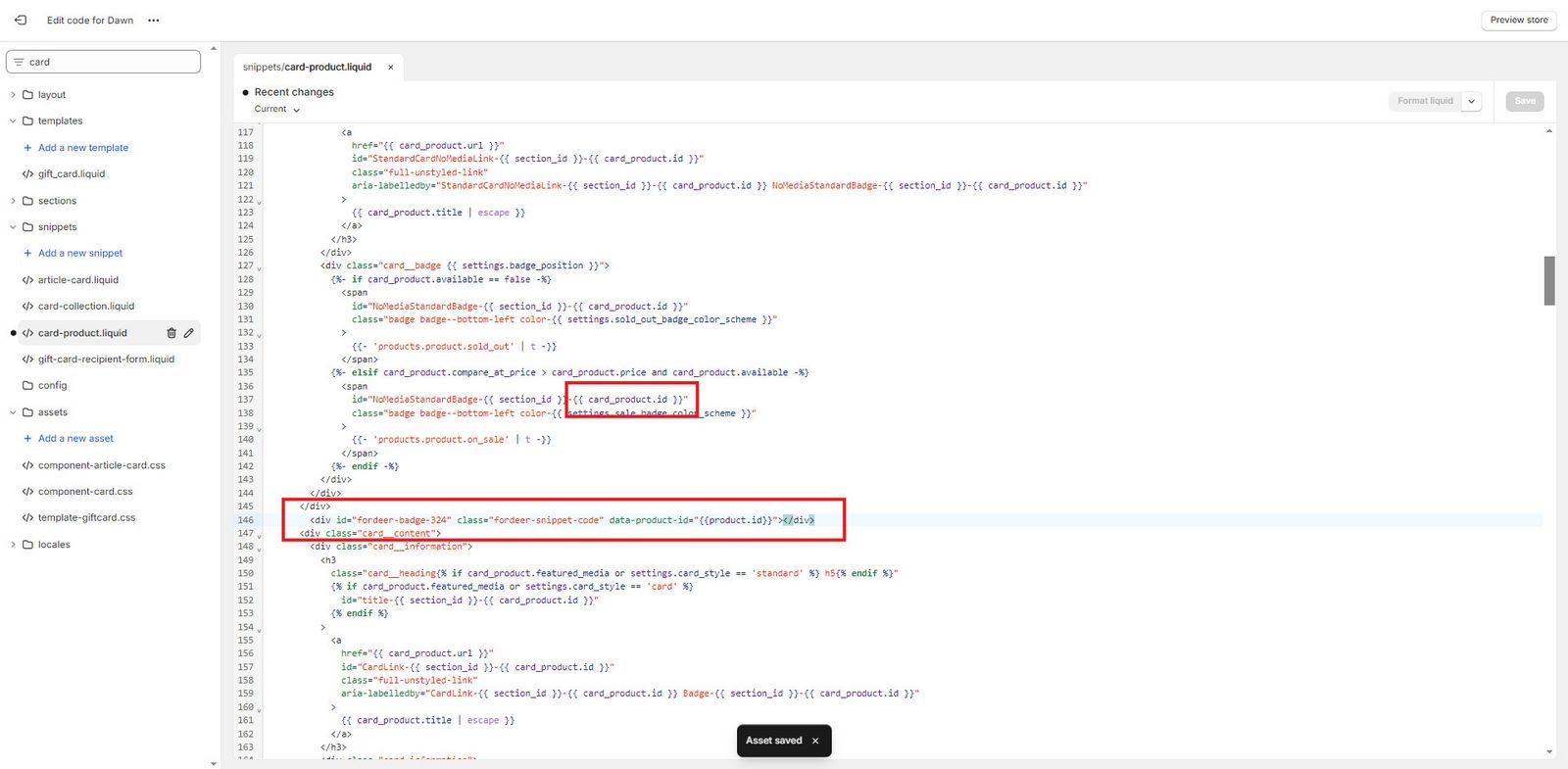
- Search for the key code of the outer wrapper of the product image on the pages where you want to add the badge. Double-check to ensure you have found the correct one.
-
Paste the copied shortcode from the badge campaign into the code section.
-
Click Save to save the changes.
-
Verify Label Display:
-
Check the label display on the specified pages.
Important Notes:
-
Each badge campaign has a specific shortcode. If you have three badge campaigns, you need to add three lines of code to your theme code.
-
This action requires coding skills.
-
You need to add the shortcode to all the pages where you want the label to badge.
For example, if you want to show badges on the homepage, product pages, and collections, you need to add the shortcode to the Liquid code on each page.
- After creating the badge, please wait 10-15 seconds for our app to load and then check the badge display on your product images.
If the badge appears, you do not need to add the shortcode to your theme. Use the shortcode only if the label does not show on the storefront.
If you are unsure where to add the code, please use the default position and contact us via live chat for a prompt fix or fill out this form to resolve the theme incompatibility quickly.
Besides, you can add the bagde block to the theme editor to make sure the badge will display on your storefront.
We value your feedback — it helps us continuously improve ForDeer and provide you with a better experience.
🖥️ Demo store: Check out here with password: 1
👉 Chat with us: Share your feedback directly with our team.
👉 Email us: support@fordeercommerce.io
👉 Explore more apps: Discover more ForDeer apps.
👉 Join our community: Join ForDeer Community to get the latest updates, tips, and special deals.
🕐 Working hours: 8:30 AM – 5:00 PM (UTC+7), Monday–Friday.
We typically reply to live chats within minutes and emails within a few hours.
Need help? Feel free to reach out anytime via live chat or email!