

Greetings from Fordeer!
You have the flexibility to select the page types where you want the label to appear.
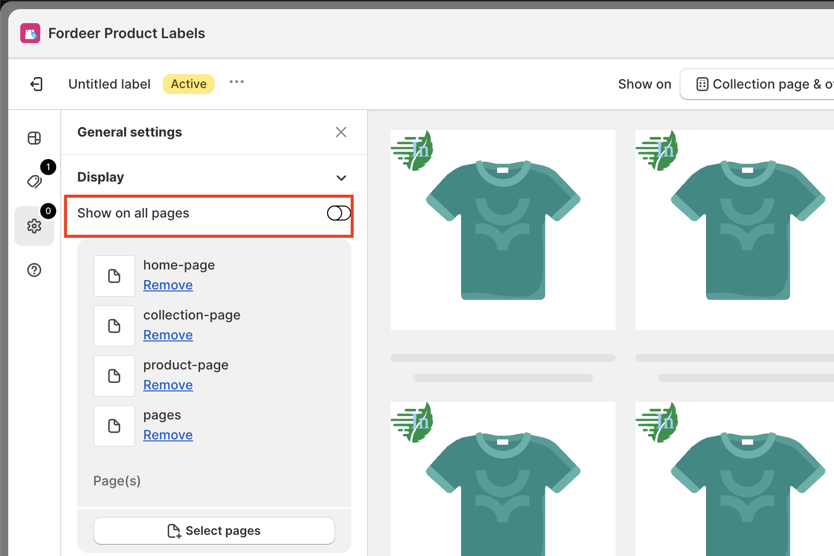
- To set it up, please go to General settings > Deactivate the option: Show on all pages
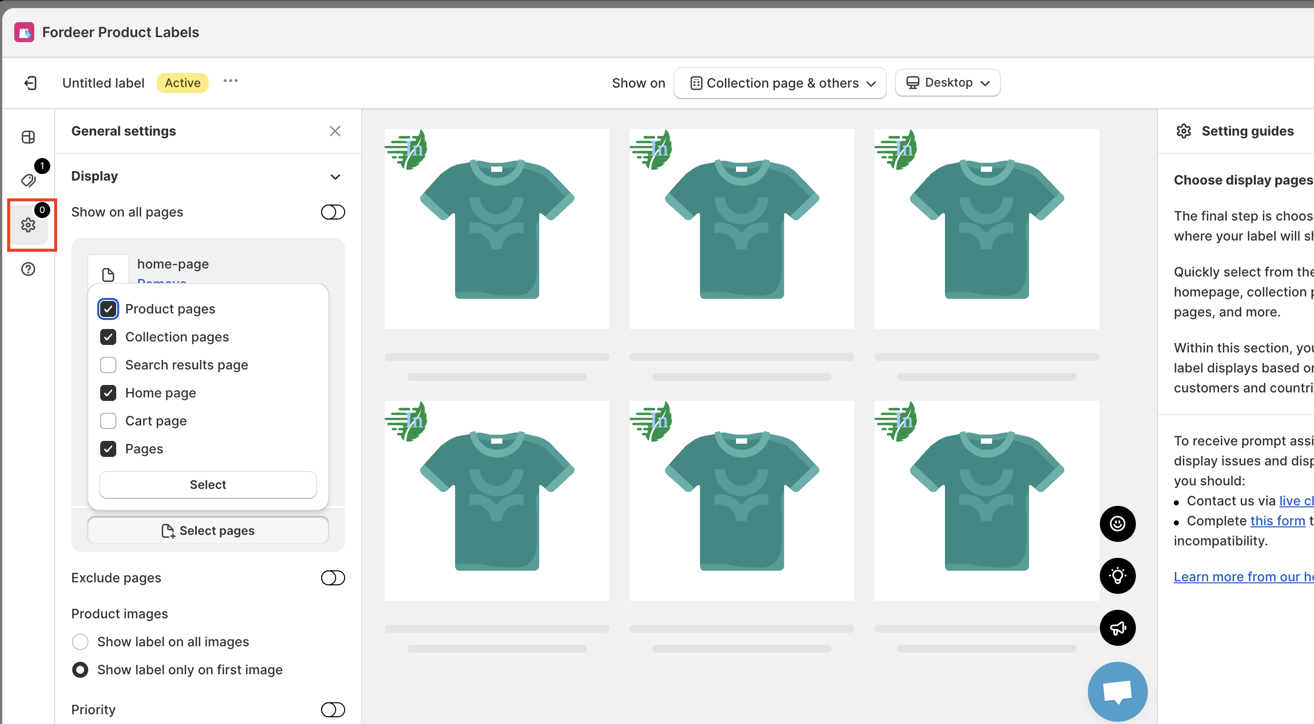
- Simply tick the boxes next to your preferred options, such as:
-
Product pages
-
Collection pages
-
Search results pages
-
Home page
-
Cart page
-
Pages
Additionally, if there are specific pages where you prefer not to display the labels, toggle the Exclude pages button to the right
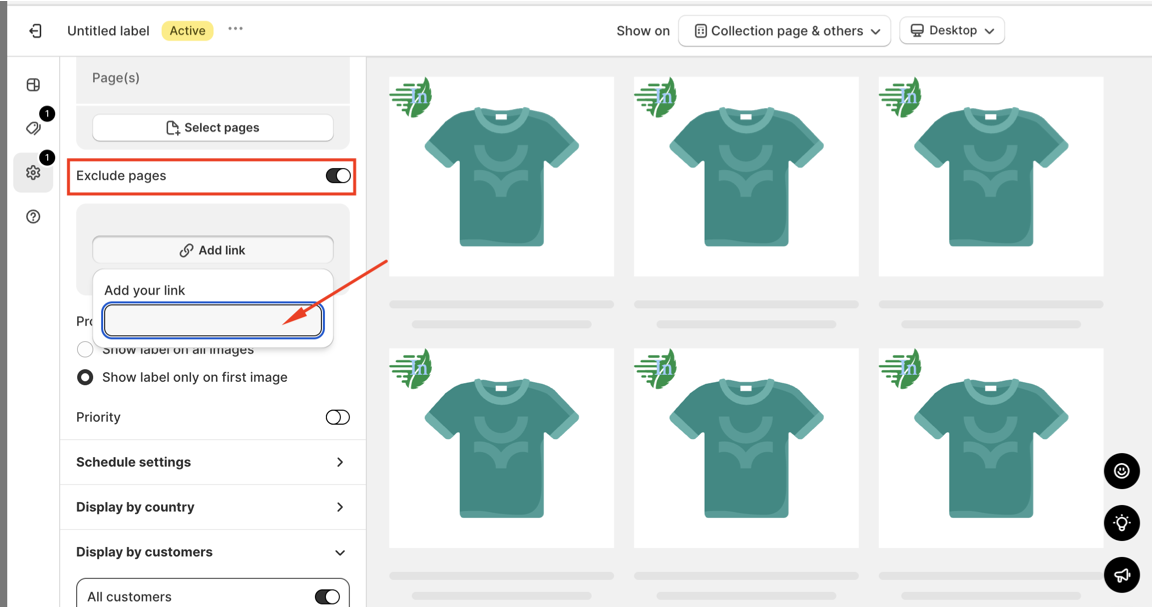
Following that, enter the URLs of the pages where you'd like to exclude the labels. This allows you to fine-tune the visibility of your labels based on your preferences.
We value your feedback — it helps us continuously improve ForDeer and provide you with a better experience.
🖥️ Demo store: Check out here with password: 1
👉 Chat with us: Share your feedback directly with our team.
👉 Email us: support@fordeercommerce.io
👉 Explore more apps: Discover more ForDeer apps.
👉 Join our community: Join ForDeer Community to get the latest updates, tips, and special deals.
🕐 Working hours: 8:30 AM – 5:00 PM (UTC+7), Monday–Friday.
We typically reply to live chats within minutes and emails within a few hours.
Need help? Feel free to reach out anytime via live chat or email!