

Overview
To help us check your Label/Badge campaigns without affecting your live store, follow the steps below to duplicate your current theme and enable Label on the duplicate.
Once completed, please send us the theme preview link and your store password (if applicable) so our team can check the issue.
Step 1: Deactivate Label on Your Current Theme
-
Go to your current theme and open App embeds.
-
Find the Label app embed and turn it off.
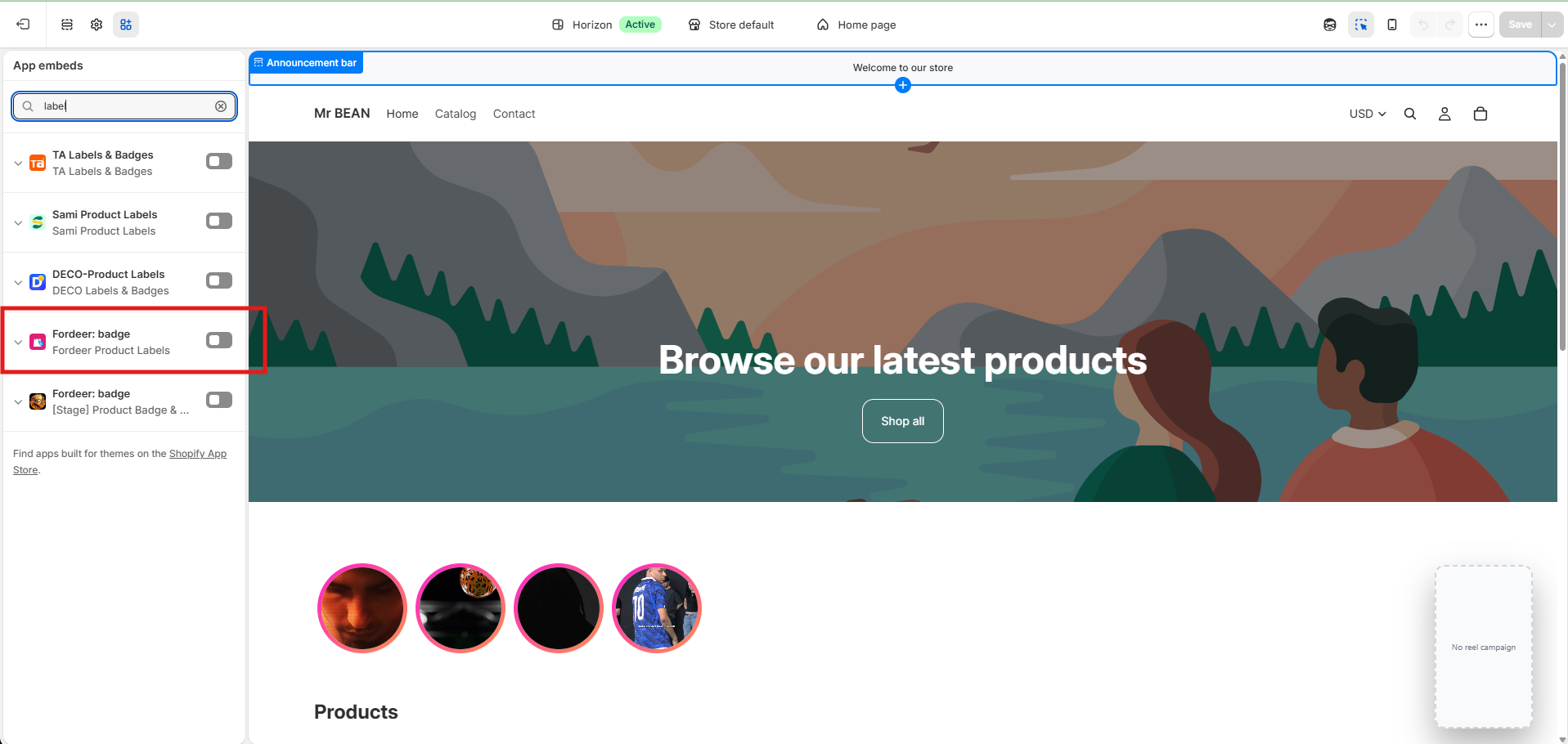
Important: Remember to click Save after making the change.
Step 2: Duplicate Your Current Theme
-
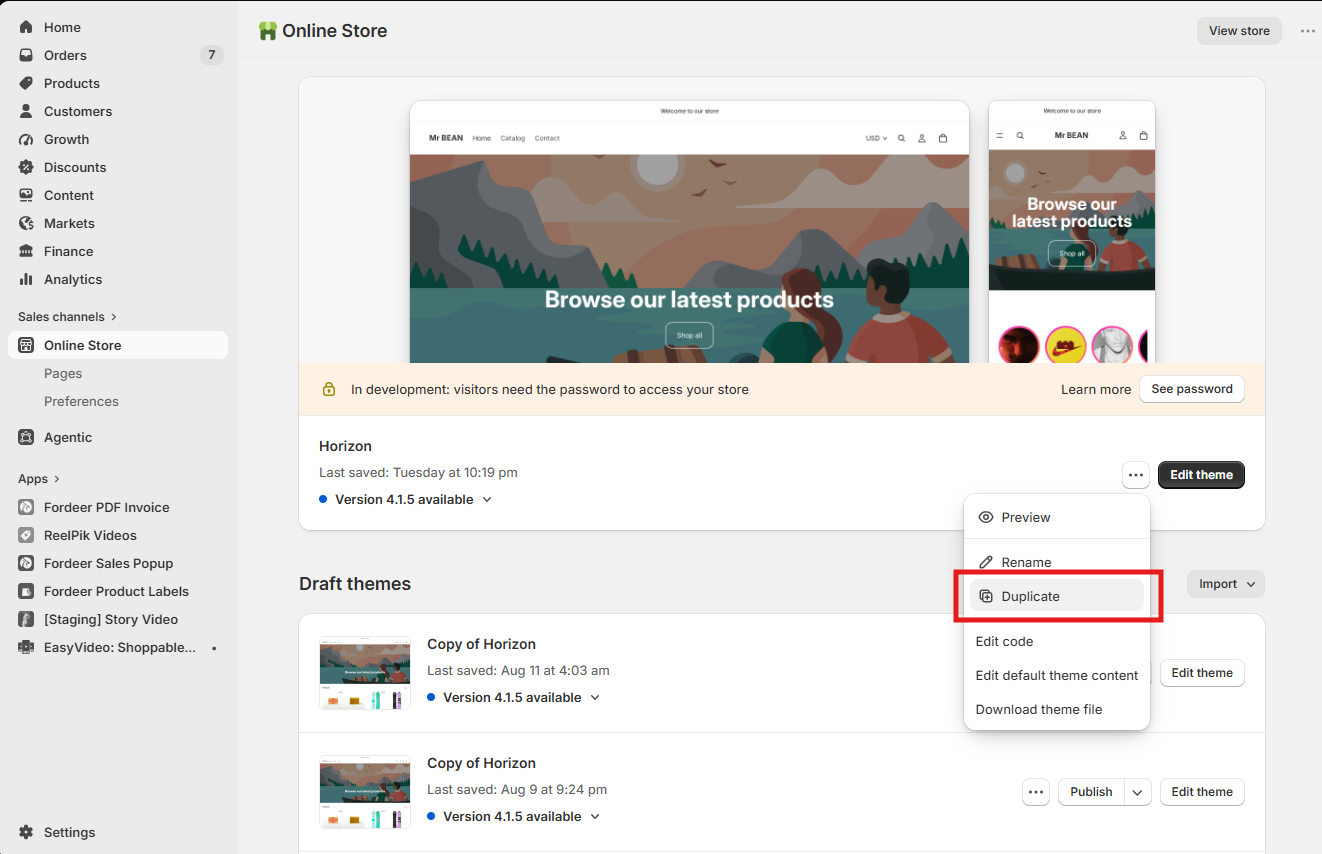
Go to Shopify Admin → Online Store → Themes.
-
Find your current theme, open the theme actions menu, and select Duplicate.
-
Wait for Shopify to finish creating the duplicated theme before continuing.
Step 3: Enable Label on the Duplicated Theme
-
Open the duplicated theme and go to App embeds.
-
Find Label and enable the app embed.
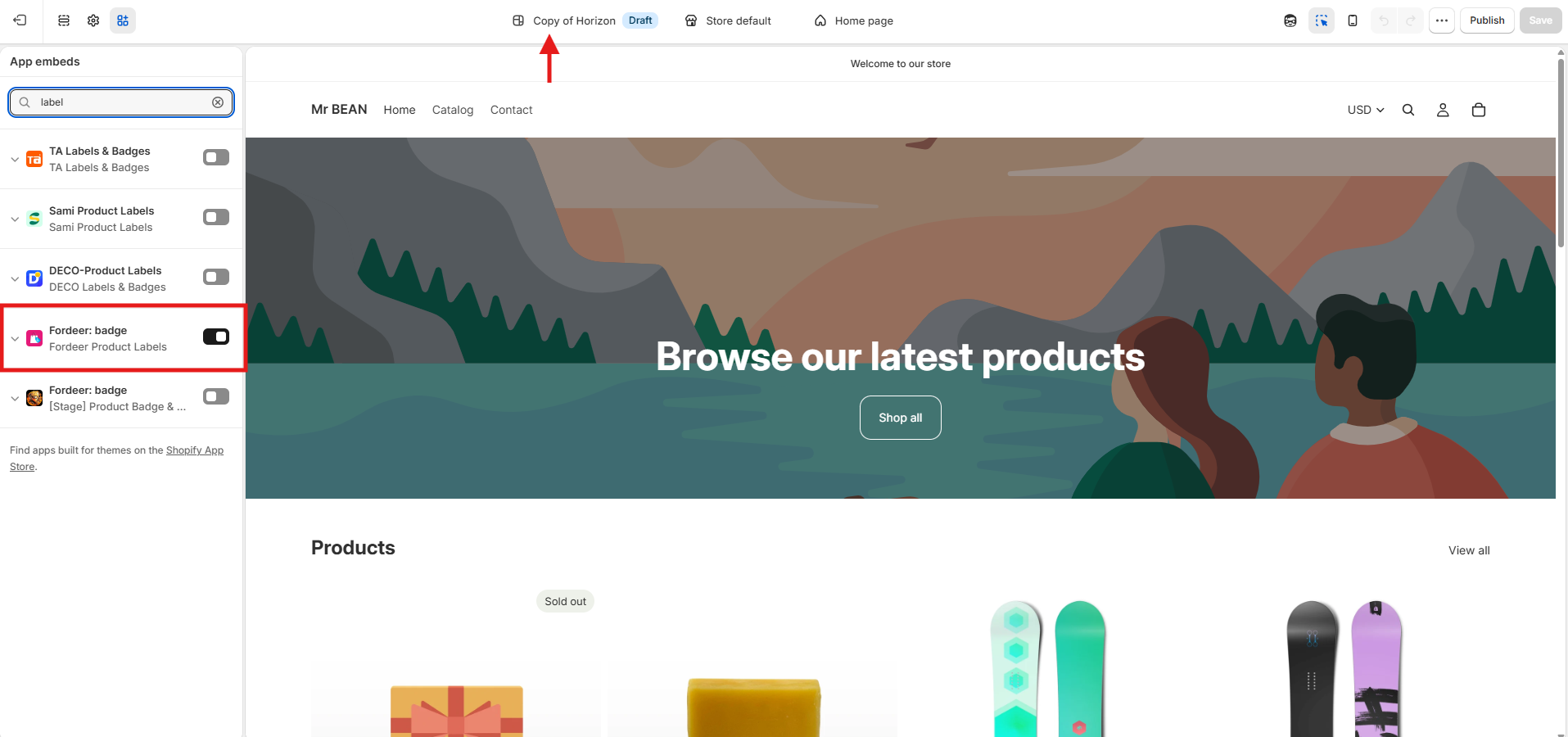
This allows us to test Label on the duplicated theme without affecting your live theme.
Important:
Remember to click Save.
Activate the campaigns that you would like us to check.
Step 4: Send Us the Theme Preview Link
-
Go back to Online Store → Themes and find the duplicated theme.
-
Click Preview to open the duplicated theme.
-
Copy the preview link from your browser and send it to us.
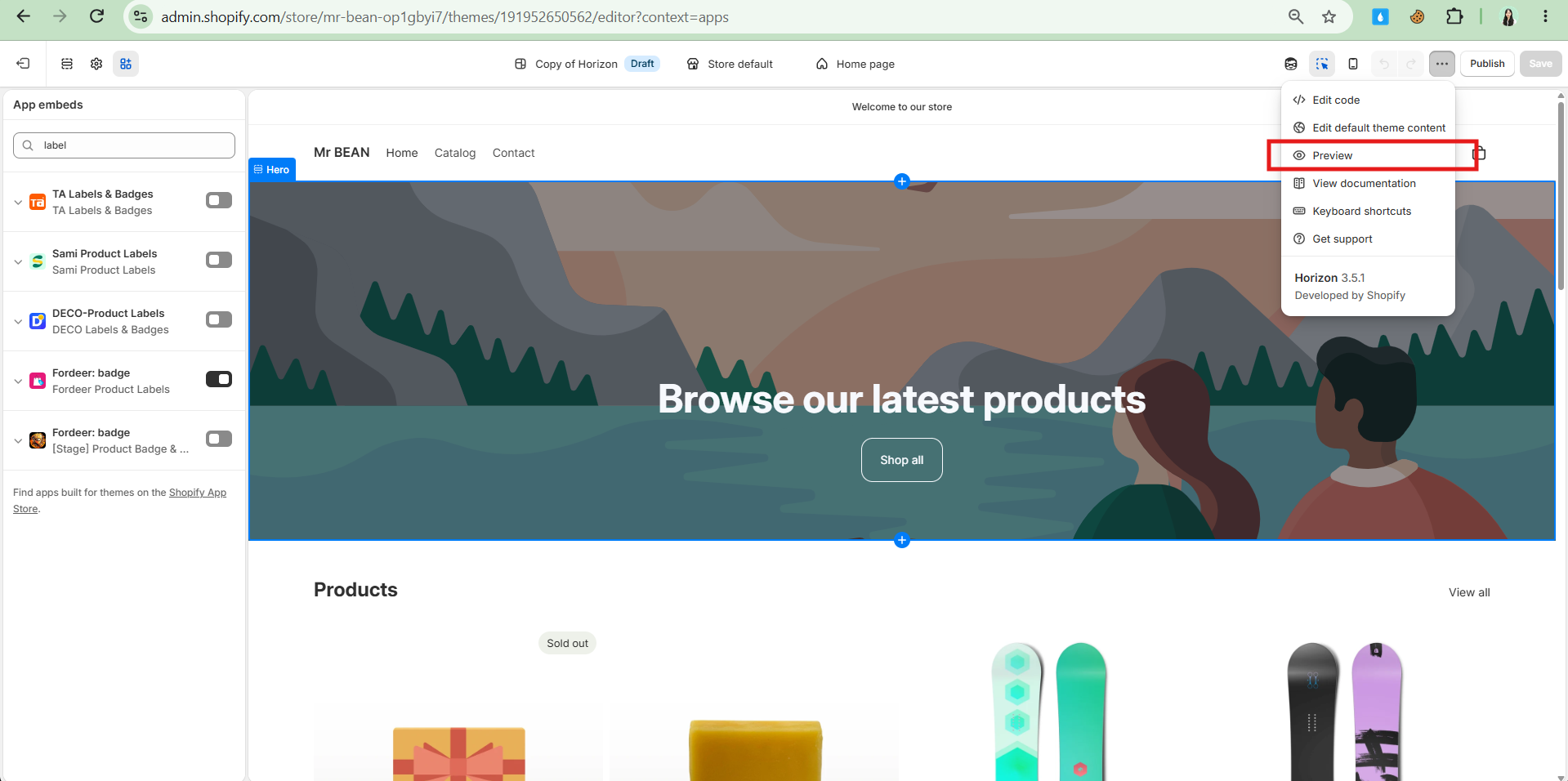
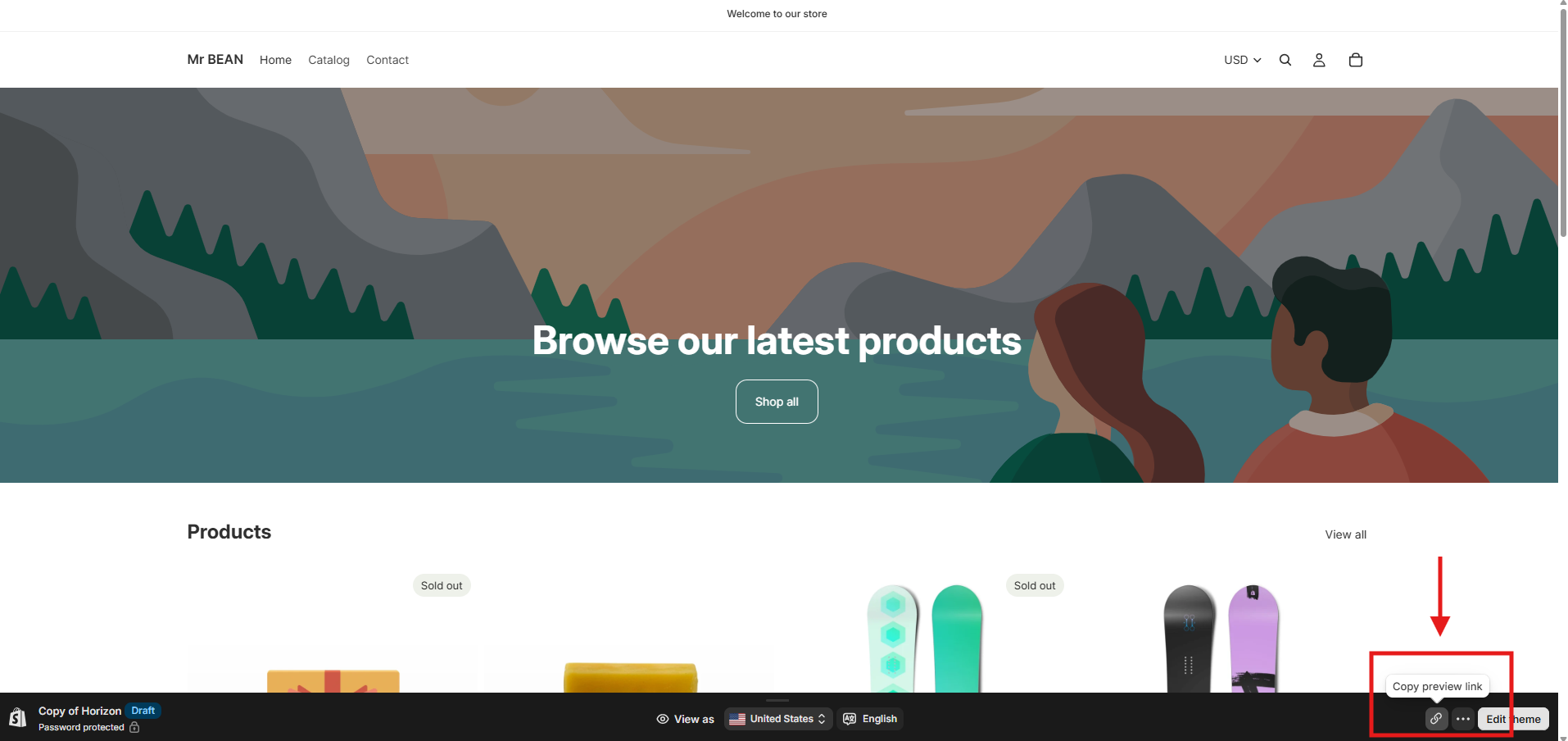
Please send us: Your duplicated theme preview link.
Step 6: Send Us Your Store Password
If your storefront is password-protected, we will also need the password to access the preview.
-
Go to your store's password settings.
-
Find your store password.
-
Copy the password and send it to us together with your preview link.
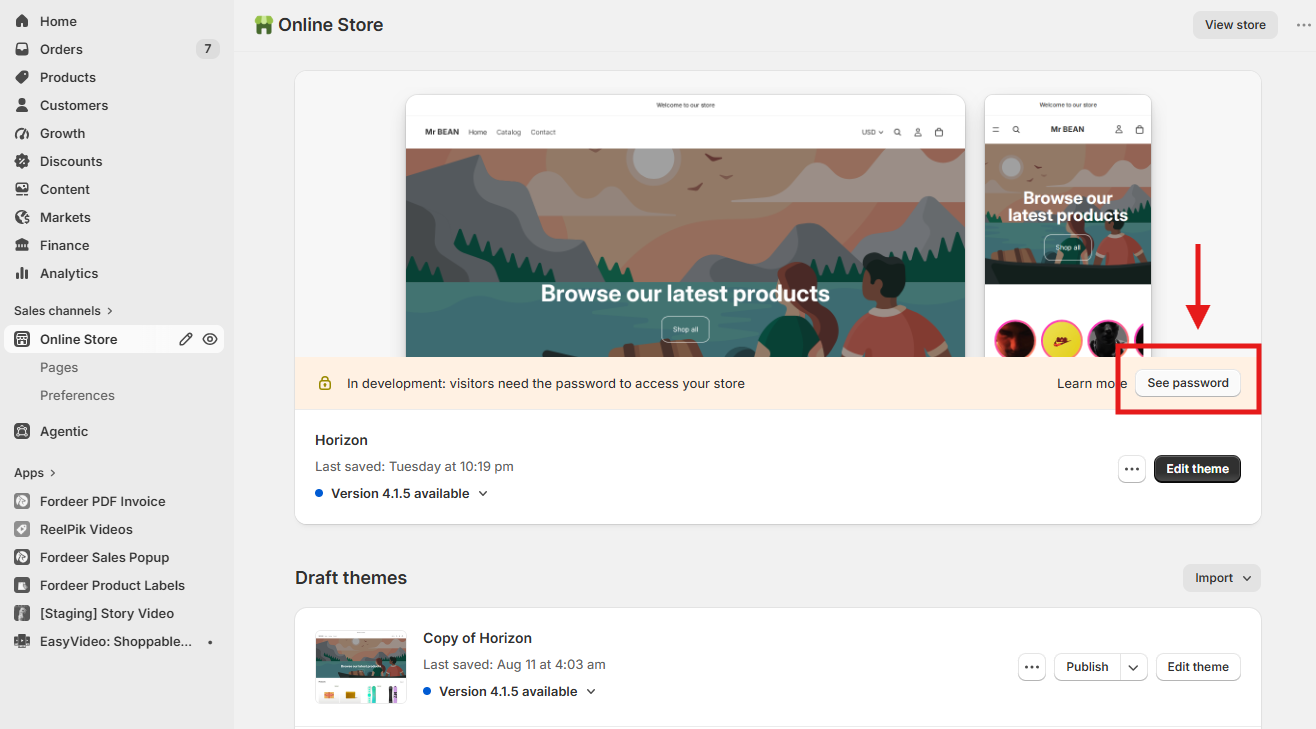
Please send us:
Duplicated theme preview link
Store password (if your store is password-protected)
We value your feedback — it helps us continuously improve ForDeer and provide you with a better experience.
🖥️ Demo store: Check out here with password: 1
👉 Chat with us: Share your feedback directly with our team.
👉 Email us: support@fordeercommerce.io
👉 Explore more apps: Discover more ForDeer apps.
👉 Join our community: Join ForDeer Community to get the latest updates, tips, and special deals.
🕐 Working hours: 8:30 AM – 5:00 PM (UTC+7), Monday–Friday.
We typically reply to live chats within minutes and emails within a few hours.
Need help? Feel free to reach out anytime via live chat or email!