

Fordeer hello to you!
At Fordeer, we're dedicated to making your labeling experience as simple and convenient as possible. Creating labels is a breeze, and this guide will show you how to take it a step further with variables.
Fordeer offers pre-defined variables that pull real-time information from your products, allowing you to display dynamic content on your labels. This eliminates the need for manual updates, saving you time and ensuring accuracy.
Let's Get Started!
Step 1: Go to Labels Badges on the sidebar, click Create Labels / Create Badge
Step 2: Select Label/ Badge Text
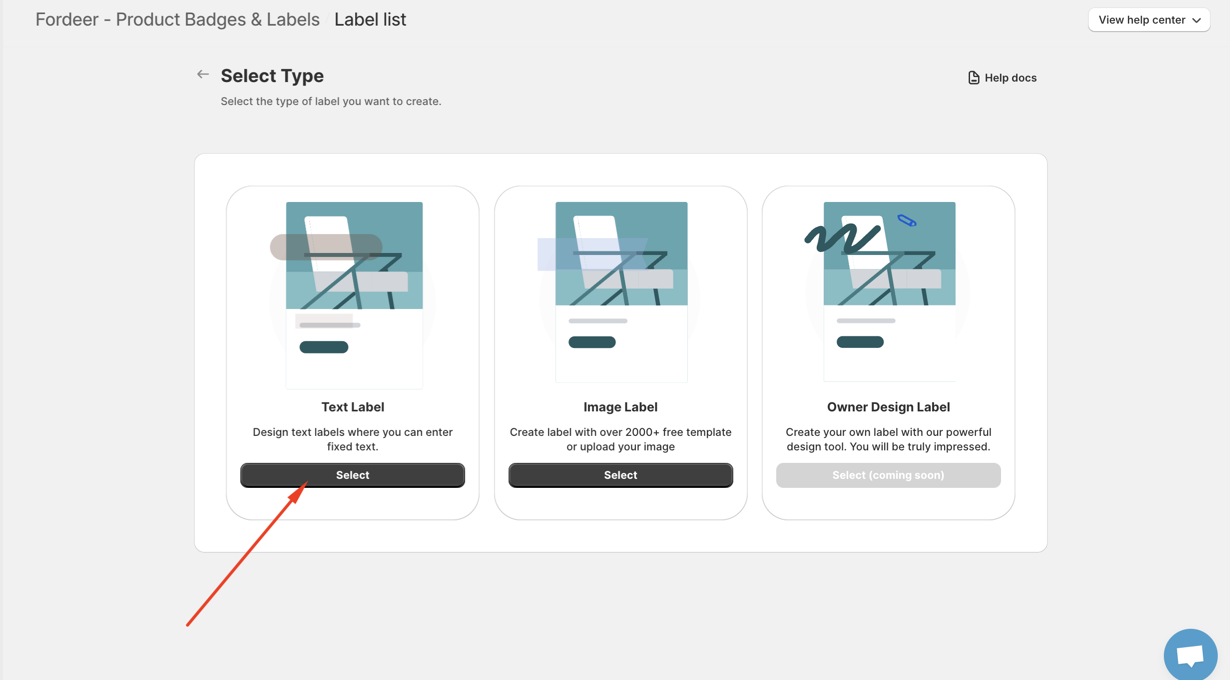
Step 3: Go to Label/Bade content section
-
Edit the content to fit your need
-
Click the three dots (...) and select Add variables.
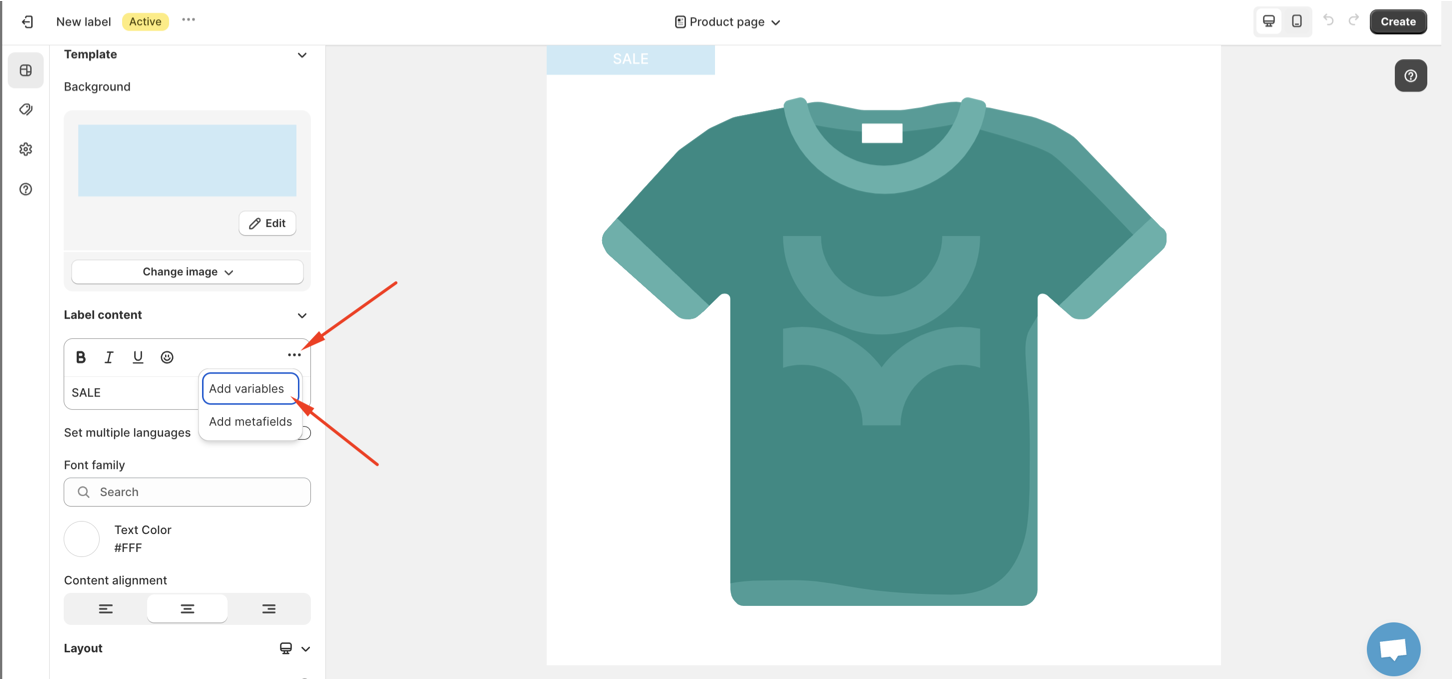
Available Variables:
We offer a variety of variables to customize your labels:
Discount Information:
-
{discount_percentage}: Show the product's discount percentage (e.g.{discount_percentage}% OFF) -
{discount_amount}: Display the product's discount amount (e.g. SAVE ${discount_amount})
Customer Information:
-
{customer_total_order}: Show the total amount of the customer's current order (e.g. Total Order: ${customer_total_order}) -
{customer_total_spent}: Track the customer's total spending history with you (e.g. Total Spent: ${customer_total_spent})
Product Details:
-
{day_release}: Display the product's release date (e.g. Released:{day_release}) -
{product_type}: Show the product type (e.g.{product_type}) -
{inventory}: Create a sense of urgency with remaining stock (e.g. Only{inventory}left ) -
{product_variant}: Showcase the number of product variants available (e.g. Get{product_variant}options) -
{product_collection}: Highlight the product's collection (e.g. Newest from{product_collection}) -
{product_sku}: Include the product's SKU for reference (e.g.{product_sku})
Scheduling:
{days_remaining}: Display the remaining time a label is scheduled to show (e.g.{days_remaining}left to get one)
That's it! With variables, your labels will automatically update with relevant product information, saving you time and effort.
Besides, you can use product metafields to show on label/badge text, read this article to find out how to set it up.
We value your feedback — it helps us continuously improve ForDeer and provide you with a better experience.
🖥️ Demo store: Check out here with password: 1
👉 Chat with us: Share your feedback directly with our team.
👉 Email us: support@fordeercommerce.io
👉 Explore more apps: Discover more ForDeer apps.
👉 Join our community: Join ForDeer Community to get the latest updates, tips, and special deals.
🕐 Working hours: 8:30 AM – 5:00 PM (UTC+7), Monday–Friday.
We typically reply to live chats within minutes and emails within a few hours.
Need help? Feel free to reach out anytime via live chat or email!
Talk soon!