

Fordeer hello to you,
Before you uninstall our app, we’d love to help you get the most out of Fordeer Product Labels and ensure you’re making the best decision for your needs.
Our dedicated support team is always here to listen to your concerns and offer solutions.
However, if you’ve decided to uninstall, here’s what you need to know:
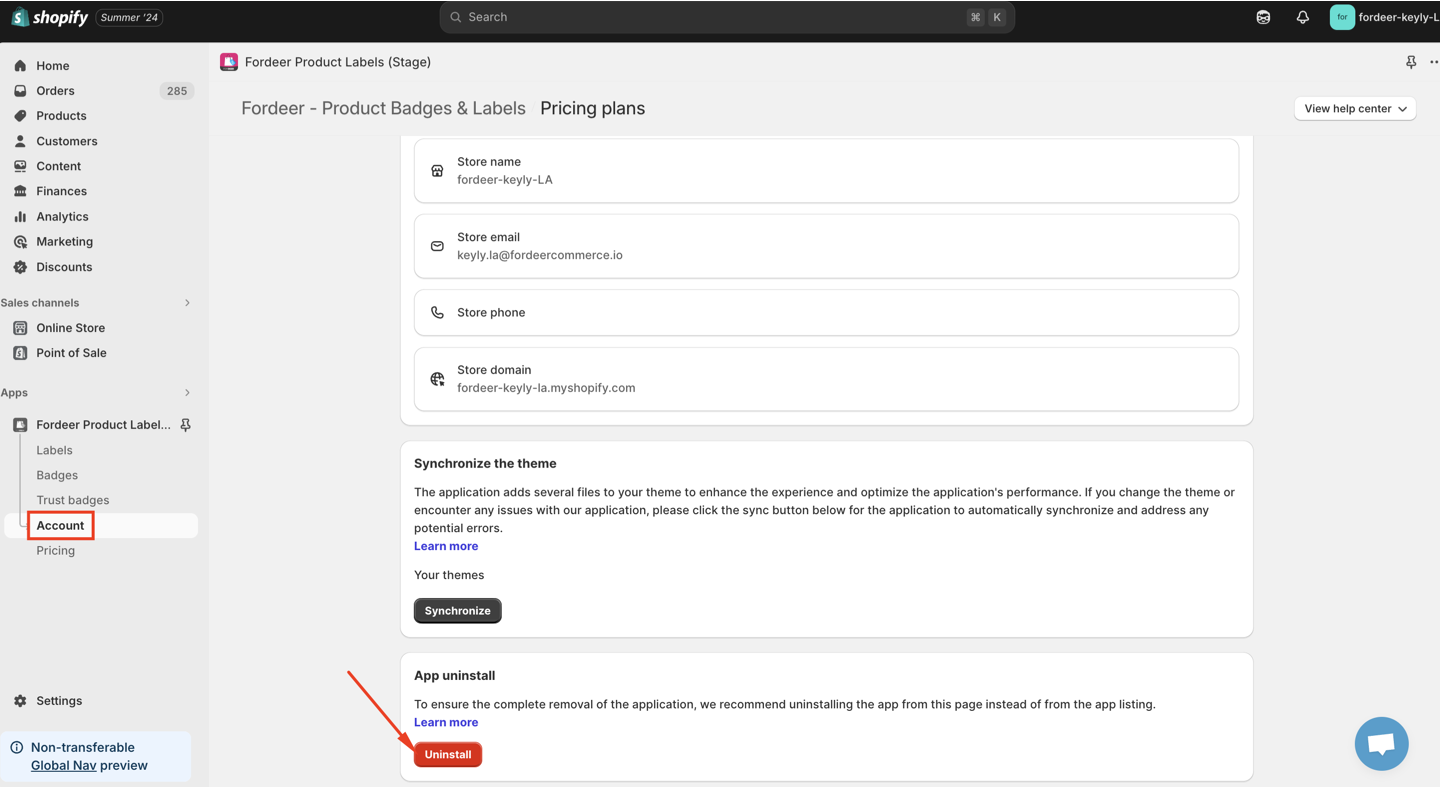
Uninstalling via the Account Section on Our App
Click the Uninstall button to remove all the codes automatically. After clicking here, all the code will be removed, and our app will be uninstalled from your store.
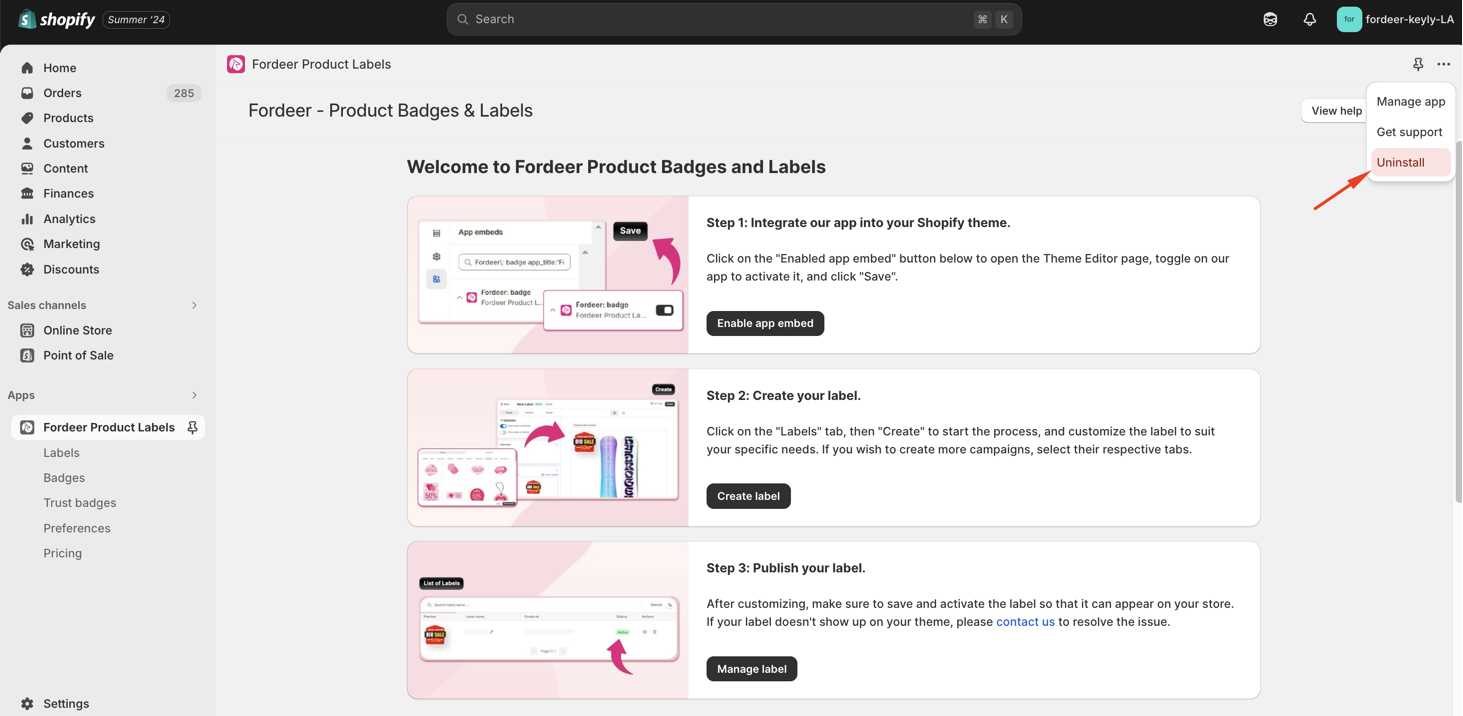
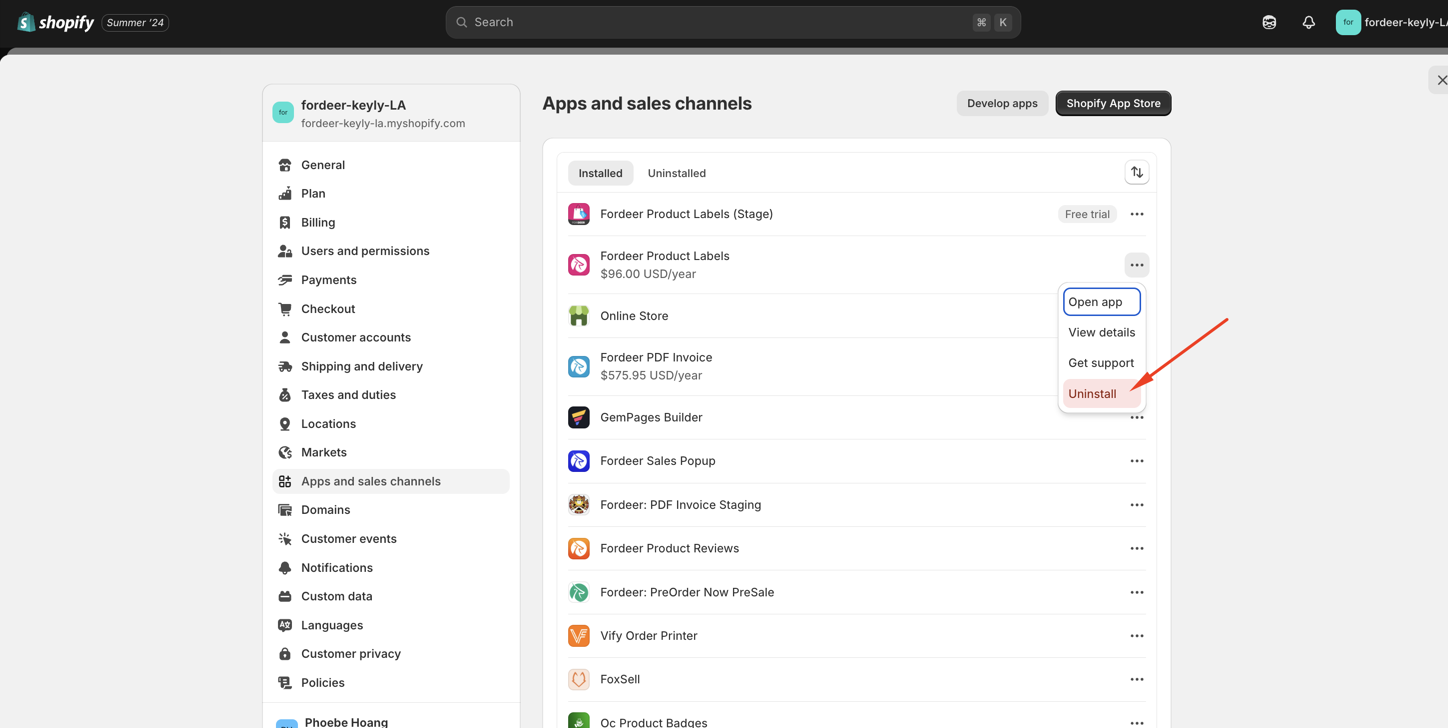
Uninstalling via the App Dashboard or Shopify Settings:
Some files may be left in your current theme. These files do not impact your theme elements, loading speed, or SEO.
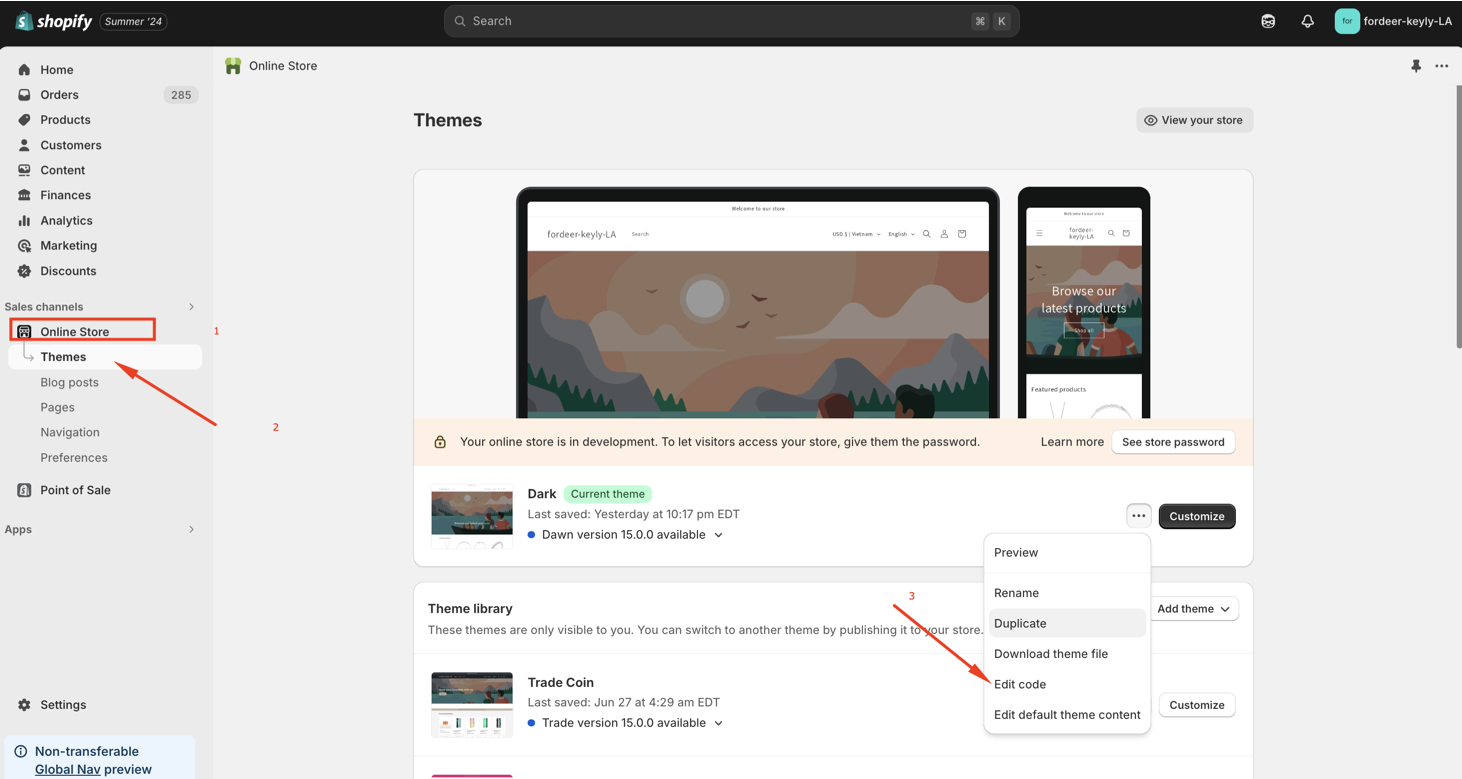
However, if you want to remove them completely, follow these steps:
- Go to Online store => Themes => Edit code.
-
In the search bar, type fordeer to find all files with fordeer in the title.
-
Remove the file named search.fordeer.productsresult.liquid
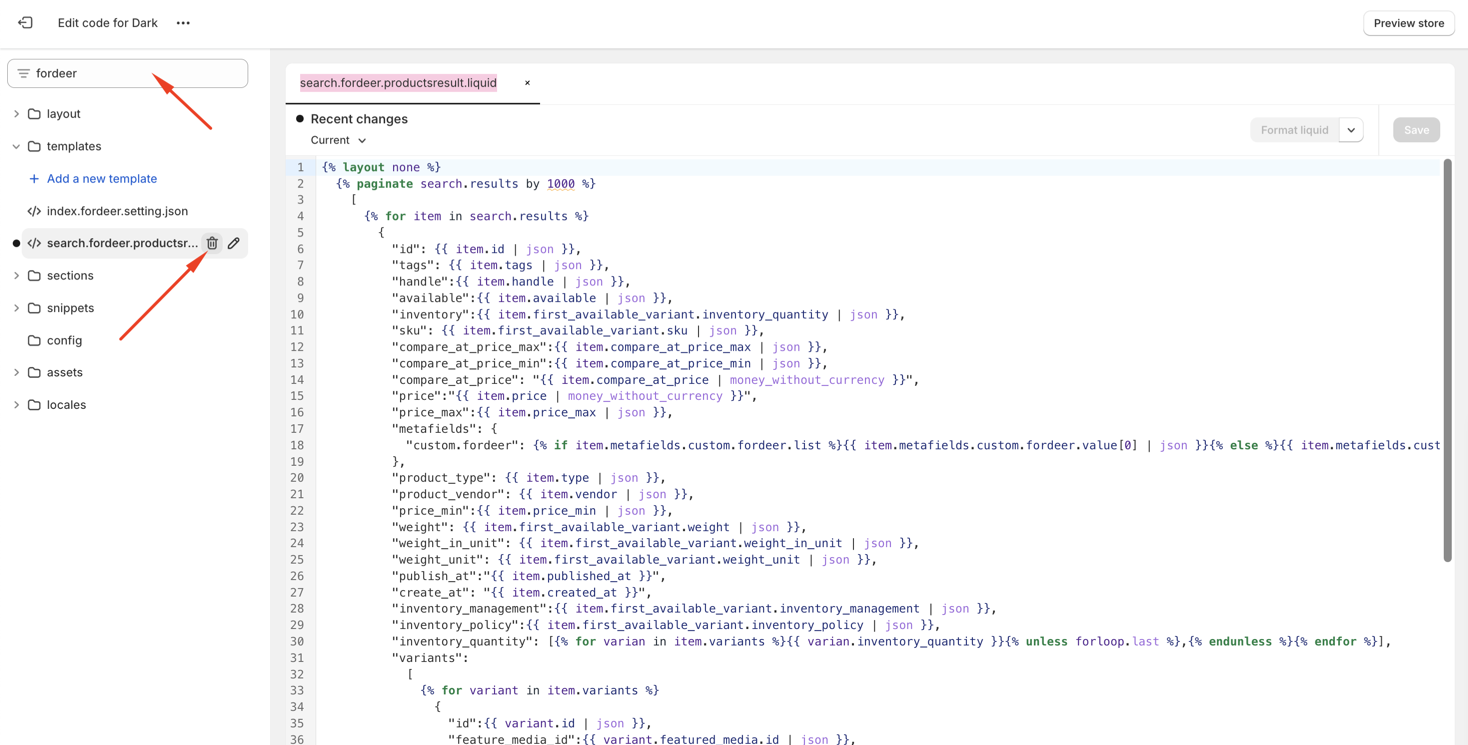
After deleting all files, all Fordeer code will be completely removed from your theme.
We understand that Fordeer might not be the best fit for everyone.
We value your feedback — it helps us continuously improve ForDeer and provide you with a better experience.
🖥️ Demo store: Check out here with password: 1
👉 Chat with us: Share your feedback directly with our team.
👉 Email us: support@fordeercommerce.io
👉 Explore more apps: Discover more ForDeer apps.
👉 Join our community: Join ForDeer Community to get the latest updates, tips, and special deals.
🕐 Working hours: 8:30 AM – 5:00 PM (UTC+7), Monday–Friday.
We typically reply to live chats within minutes and emails within a few hours.
Need help? Feel free to reach out anytime via live chat or email!