

Hello from Fordeer,
To get the label/badge ID, follow these steps:
- Go to the Labels/Badges section in the sidebar menu and create a label/badge campaign.
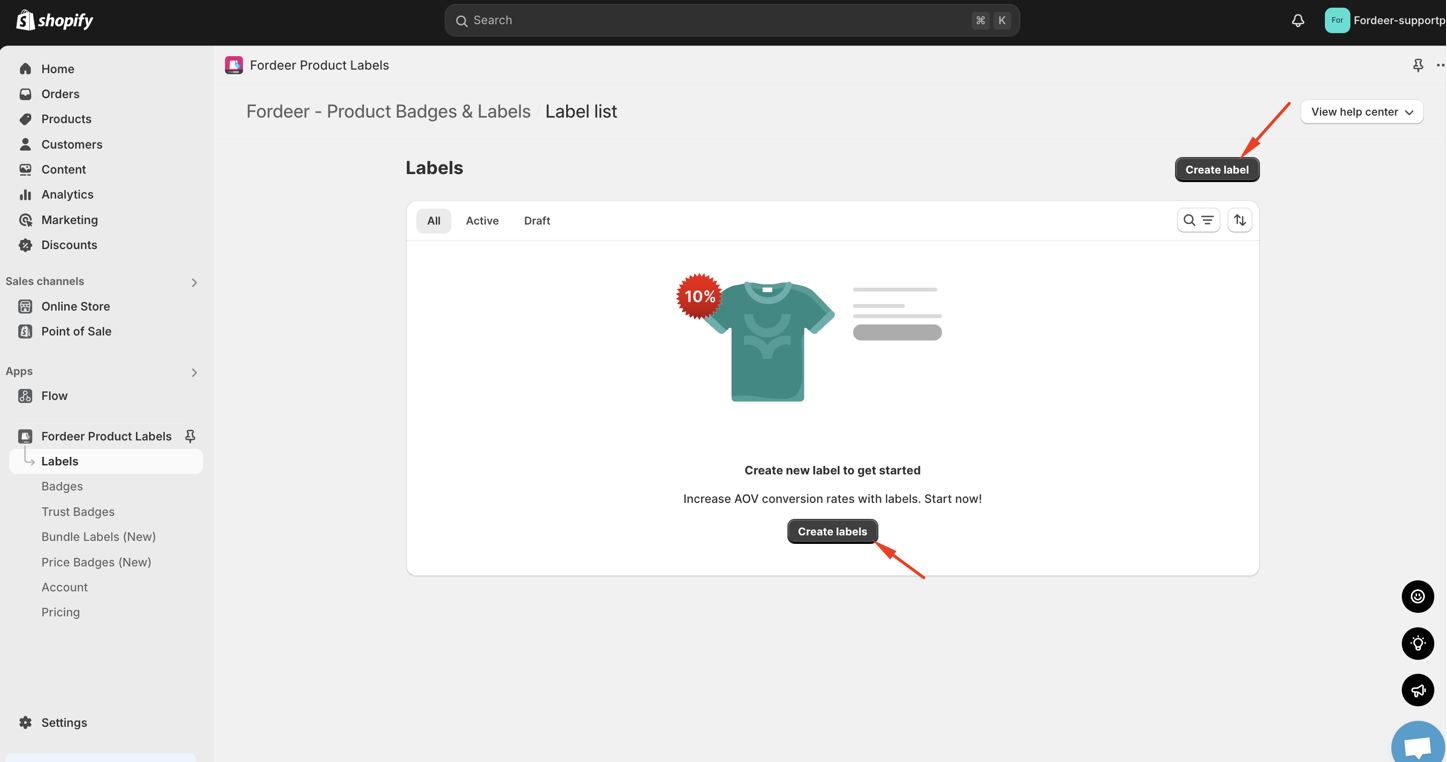
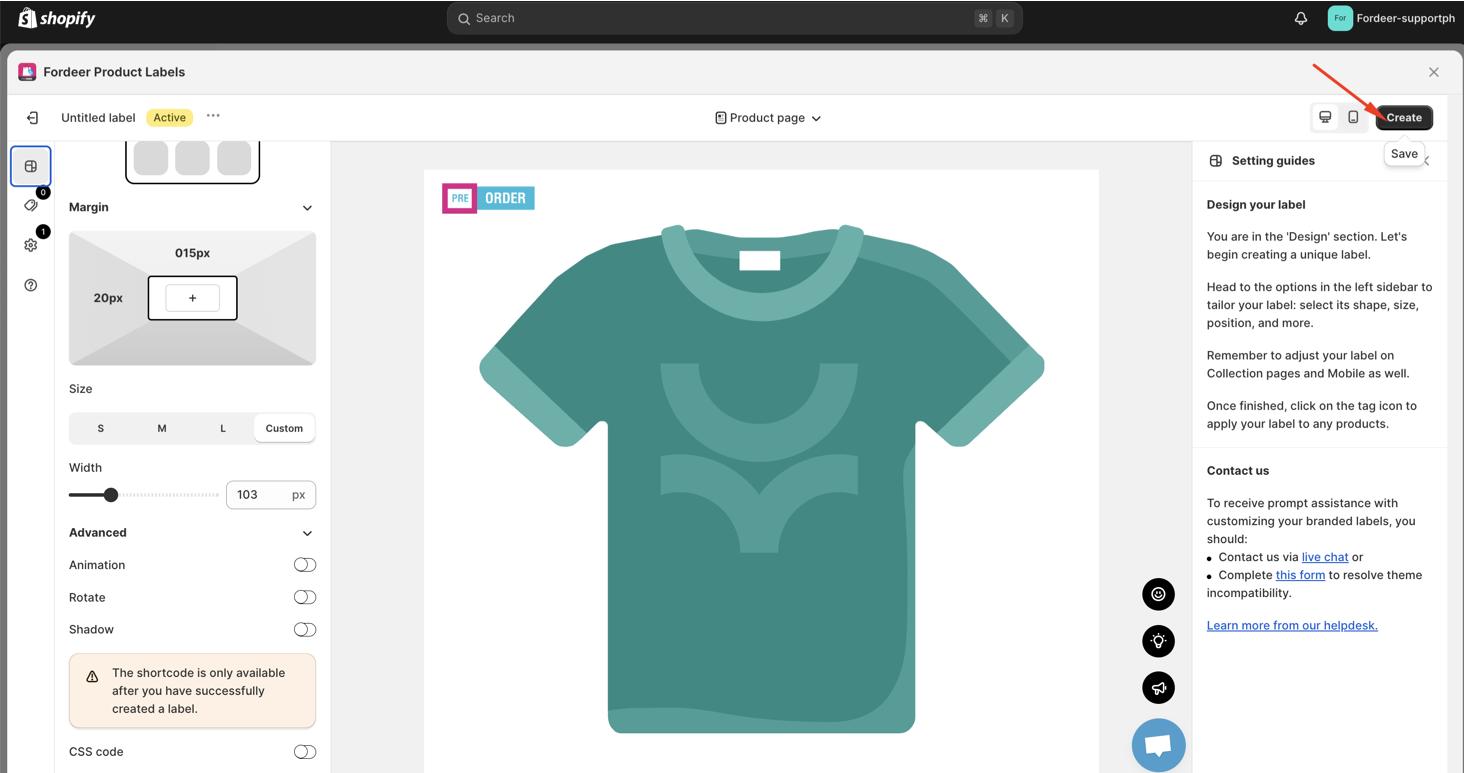
-
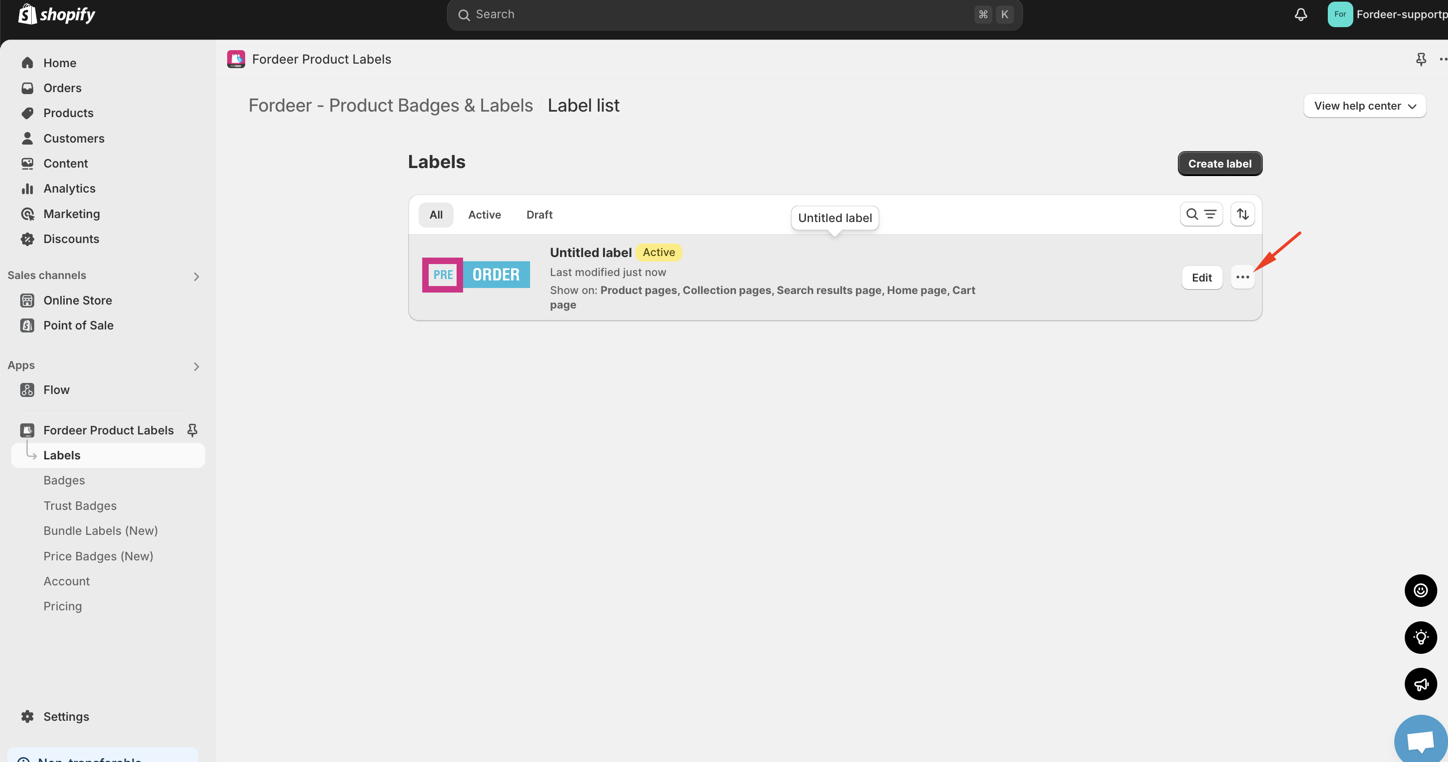
Once created, go back to the label/badge campaign list.
-
Click the three dots next to the campaign you want to retrieve the ID for.
- You will see the label/badge ID—click Copy ID to obtain it.
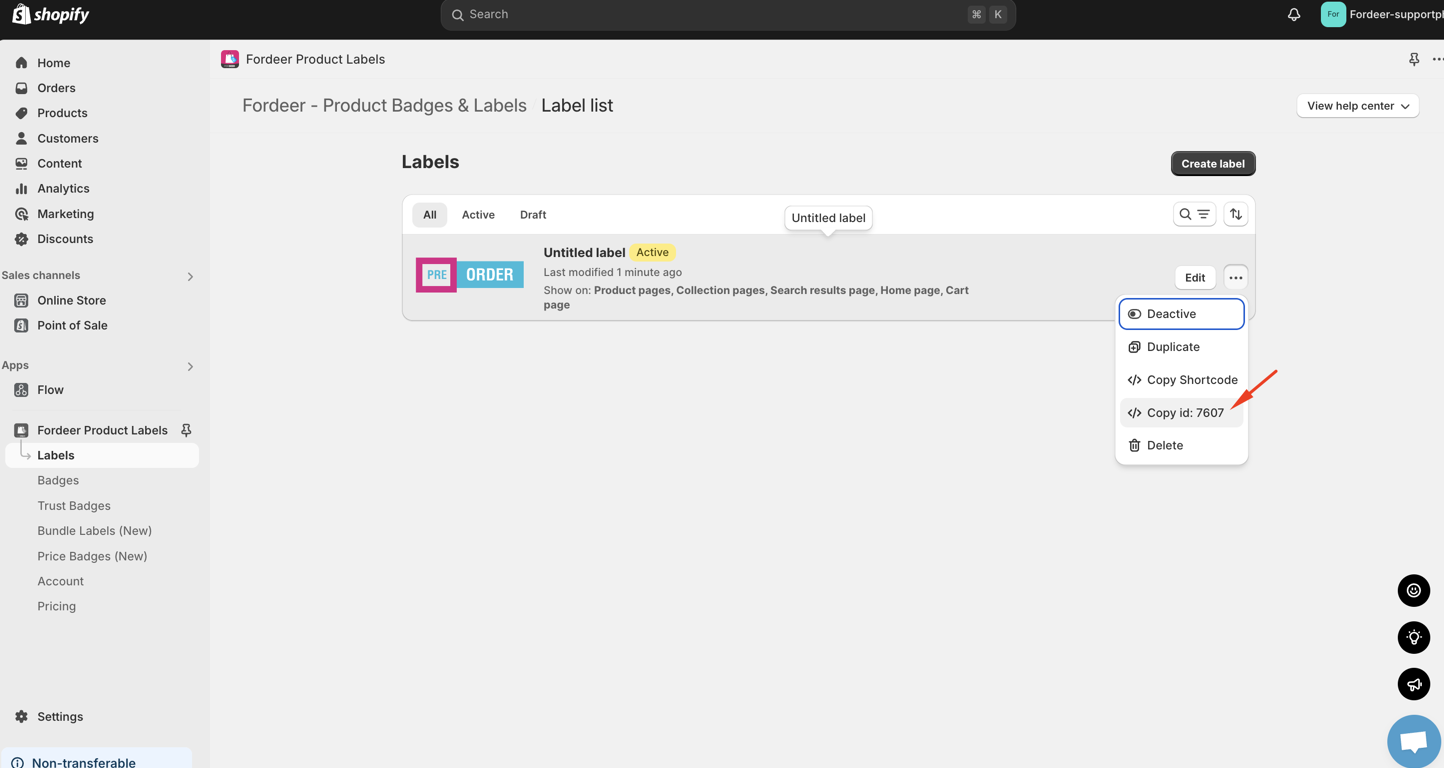
You can then use this ID to add the label/badge anywhere in your theme code to ensure it displays exactly as you want.
We value your feedback — it helps us continuously improve ForDeer and provide you with a better experience.
🖥️ Demo store: Check out here with password: 1
👉 Chat with us: Share your feedback directly with our team.
👉 Email us: support@fordeercommerce.io
👉 Explore more apps: Discover more Fordeer apps.
👉 Join our community: Join ForDeer Community to get the latest updates, tips, and special deals.
🕐 Working hours: 8:30 AM – 5:00 PM (UTC+7), Monday–Friday.
We typically reply to live chats within minutes and emails within a few hours.
Need help? Feel free to reach out anytime via live chat or email!